Remote Work Guide: Internet Solutions for the Australian Outback
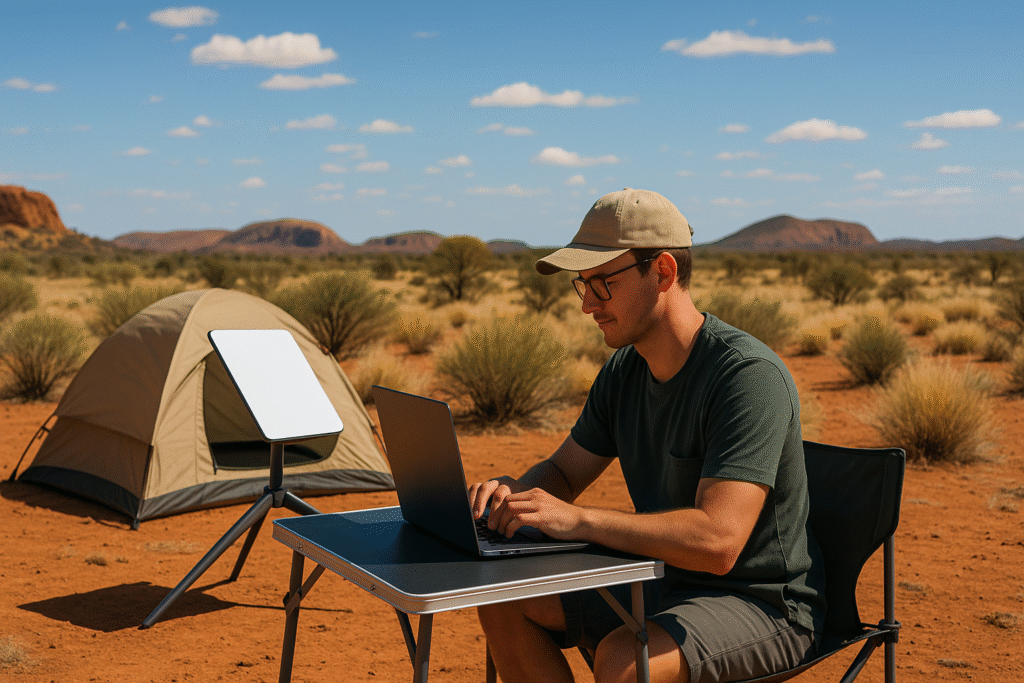
Need reliable internet for remote work in the Australian Outback? Here’s a quick guide to the best options, challenges, and solutions:
- Satellite Internet: Starlink leads with speeds of 50–270 Mbps and low latency (20–40ms). Hardware costs $599, and plans start at $139/month (unlimited data). It’s ideal for remote work and supports up to 128 devices.
- Mobile Networks: Telstra covers 99.7% of Australians but struggles with black spots and outages in rural areas.
- Fixed-Line Internet (NBN/ADSL): Limited in remote areas, with speeds around 12 Mbps – far slower than city fibre connections.
Starlink Mini, a lightweight satellite system, stands out for its portability, fast speeds, and ability to function in extreme Australian conditions. It’s perfect for remote workers, businesses, and emergency services.
| Provider | Cost (Monthly) | Download Speed | Latency | Data Limits | Hardware Cost |
|---|---|---|---|---|---|
| Starlink | $139 | 50–270 Mbps | 20–40ms | Unlimited | $599 |
| NBN Sky Muster | $34.95–$199.95 | ~12 Mbps | ~600ms | Peak/Off-peak | Included |
| Telstra Satellite | $125 | Up to 50 Mbps | Not specified | Variable | $599 |
Pro Tip: For the best experience, ensure a clear sky view for satellite dishes and use portable power solutions to stay connected off-grid.
Remote work in the Outback is challenging, but with the right tools like Starlink Mini, you can stay productive anywhere.
Does Starlink Roam really work? | IN THE AUSTRALIAN OUTBACK | Starlink Roam HONEST REVIEW
Current Internet Options in the Outback
Internet access in the Outback remains a challenge, with existing options often falling short for remote workers. Here’s a closer look at what’s currently available and the issues users face.
ADSL and NBN Coverage Limits
Fixed-line internet in the Outback is scarce. While cities enjoy high-speed fibre networks, around 7% of Australians living in regional and remote areas rely on fixed wireless or satellite NBN services [2]. These services usually offer download speeds of about 12 Mbps, a far cry from the 100 Mbps common in urban fibre connections [2].
Bruce Scott, former mayor of Barcoo Shire, highlights the impact of this disparity:
"The national information superhighway is so critically important and if we’ve got a second-rate service coming into these communities what reason is there for people to stay?" [2]
ADSL fares no better, with outdated copper lines and long distances making reliable service nearly impossible in many areas. Fixed-line struggles aside, mobile networks also come with their own set of hurdles.
Mobile Network Limitations
Telstra’s mobile network claims to cover 99.7% of the Australian population [1], yet rural connectivity remains patchy. Associate Professor Mark Gregory from RMIT University‘s School of Engineering points out the broader issues:
"The spate of major telecommunications network outages, high volumes of consumer complaints and loss of potential productivity will continue without telecommunications policy reforms." [3]
Satellite Internet Comparison
When fixed-line and mobile services fall short, satellite internet steps in as an option, though not without its compromises. Here’s how the leading providers stack up:
| Feature | NBN Sky Muster | Starlink | Telstra Satellite |
|---|---|---|---|
| Monthly Cost | $34.95 – $199.95 | $139 | $125 |
| Download Speed | ~12 Mbps | 50–270 Mbps | Up to 50 Mbps |
| Upload Speed | Variable | ~28 Mbps | Up to 10 Mbps |
| Latency | ~600ms | 20–40ms | Not specified |
| Data Limits | Peak/Off-peak quotas | Unlimited | Variable |
| Hardware Cost | Included | $599–$709 | $599 |
According to recent ACCC findings, Starlink outshines NBN satellite services, delivering average download speeds of 192 Mbps at all times and 165.5 Mbps during peak hours [4]. However, traditional satellite options like NBN Sky Muster still fall short for critical tasks. Bruce Scott puts it plainly:
"Satellites will not provide video links for hospital clinics, for access to school curriculums – it won’t provide what is needed for these towns to function." [2]
Starlink in the Outback
Starlink Technology Basics
Starlink uses low Earth orbit satellites to deliver faster response times and lower latency, making it a great option for remote work. Its phased array antenna tracks satellites automatically, without needing moving parts [4][6].
Starlink Mini Features
The Starlink Mini is a lightweight satellite internet system tailored for remote work. At just 1.16 kg, it offers impressive capabilities:
| Feature | Specification |
|---|---|
| Download Speeds | 100+ Mbps |
| Device Support | Up to 128 devices |
| Wi‑Fi Coverage | 112 m² |
| Operating Temperature | –30°C to 50°C |
| Power Consumption | 20–40 watts |
| Weight | 1.16 kg |
"As someone who likes to occasionally live and work as far off the grid as possible, the Starlink Mini is the dish I’ve been waiting for." [9]
These features make the Starlink Mini a reliable choice for Australia’s unique conditions.
Australian Service Details
According to ACCC data, Starlink delivers download speeds of 192 Mbps during off-peak hours and 165.5 Mbps during peak times (7–11 pm). Upload speeds are 28.6 Mbps off-peak and 27.8 Mbps at peak [4].
In one Outback town with a population of around 150, Starlink has dramatically improved connectivity. It enabled free Wi‑Fi provided by the local council, supported generator-powered internet during outages, improved communication for council road camps, and offered guest network services at caravan parks [5].
Here’s the current pricing for Australian users:
- Starlink Mini hardware: $599
- Standard monthly service: $139 (unlimited data)
- Roaming service: from $80 monthly
- Mobile priority plan: $374 monthly (50GB data) [7]
For the best experience, ensure the dish has a clear view of the sky, use portable power devices like the EcoFlow River 2 Pro, and check for obstructions with the Starlink app [8].
If you’re not ready to buy, consider renting. Providers like Offgrid Internet in Western Australia offer daily rentals starting at $10 for standard plans or $20 for unlimited data – perfect for short-term remote work needs. This flexibility underscores why Starlink Mini is a standout solution for working in the Outback.
sbb-itb-ab5f32a
Using Starlink Mini for Remote Work
Setup Instructions
Follow these steps to set up your Starlink Mini:
- Clear Sky View: Position the dish where it has an unobstructed view of the northern sky. The dish will handle alignment automatically using its internal array [10].
- Mounting Options: Secure the dish with a Starlink pipe adapter for stability [10]. If the setup is temporary, opt for a flat mount to shield it from tough weather [11].
- Cable Management: For permanent installations, bury the cables in electrical conduit [10]. The rugged case design allows cable entry from either side or the bottom [11].
Once installed, configure the connectivity settings for stable and reliable performance.
Remote Work Tips
Set up your network by adding a static route on the WAN port to 192.168.100.1. Use the Starlink app to check for obstructions, monitor connection quality, run diagnostics, and enable the heater during colder conditions [10]. These steps help ensure smooth and uninterrupted remote work.
Power and Equipment Guide
Here’s how to keep your Starlink Mini powered during remote work sessions:
| Power Source | Runtime | Best For |
|---|---|---|
| Power Banks (65W+) | 2–3 hours | Short work sessions |
| Jackery 500 | 5–6 hours | Half-day work |
| Vehicle Power | Emergency use | Temporary backup |
Power Requirements to Note:
- Minimum power source: 100W (20V/5A) [12].
- Use high-quality USB-C cables (shorter lengths are better).
- Power consumption: 20–40W during use, 15W when idle [12][13].
"Basic camping solar panels plus a little battery will power Starlink all day" – Elon Musk [13]
Pro Tip: Test your power setup before heading out. Check all cables, power banks, and backup solutions to make sure they work seamlessly with your Starlink Mini system [12].
Starlink Mini Case Studies
Remote Worker Stories
Ben Moore, a beekeeper in remote Australian areas, has transformed his connectivity challenges with Starlink Mini.
"It enables me to communicate from areas with no reception."
For $80 a month and a $550 Mini receiver, Moore now enjoys consistent connectivity, crucial for managing his business from virtually anywhere [14].
Field tests reveal impressive performance, with download speeds reaching up to 161 Mbps and upload speeds of 22 Mbps [17]. These speeds make tasks like video calls and transferring large files seamless. Moore’s experience highlights how Starlink Mini supports various remote operations effectively.
Business and Emergency Uses
Emergency services and law enforcement have adopted Starlink Mini for essential communication needs:
| Organisation | Investment | Implementation Details |
|---|---|---|
| NSW Rural Fire Service | $69 million | Installed on thousands of fire trucks for backup communication and live fire streaming [15] |
| WA Police | $8.5 million | Equipped regional police vehicles for statewide communication [15] |
These applications underline the system’s role in meeting critical connectivity demands and expanding its use across industries.
"For bushfire response these satellite technologies provide a step change. I think it’s something we’ll continue to see more of."
– Luke Coleman, CEO of the Communications Alliance [15]
Industries like construction, mining, and agriculture also benefit from Starlink Mini’s ability to function in extreme temperatures (-30°C to 50°C [16]) while consuming just 25 watts of power [17]. It supports up to 128 devices at once [16], making it suitable for demanding environments.
"It’s connecting not only parts of remote Australia in particular that have never been connected before but it’s ensuring that there are some capabilities that had never even been considered before."
– Communications Minister Michelle Rowland [14]
Starlink Mini’s durability and dependability in challenging conditions make it an ideal solution for maintaining productivity in remote and industrial settings.
Starlink Mini: A Reliable Internet Solution for Remote Work
Starlink Mini provides fast, reliable internet access for remote workers in the Australian Outback. With download speeds over 100 Mbps and the ability to function in extreme temperatures ranging from –30°C to 50°C [18], it’s well-suited to the unique demands of remote work.
Its standout features, like portability, wide coverage, and support for up to 128 devices [18], make it an attractive alternative to traditional satellite options. The system’s pricing is competitive, and its low latency ensures smooth performance, even in bad weather. Plus, the pause-and-resume function offers flexibility for workers on the move [20].
Starlink Mini isn’t just about staying connected – it’s about enabling productivity in remote areas. As Andrew Wildblood from Vocus puts it:
"Starlink is a game changer for enterprises and governments in regional and remote Australia" [19].