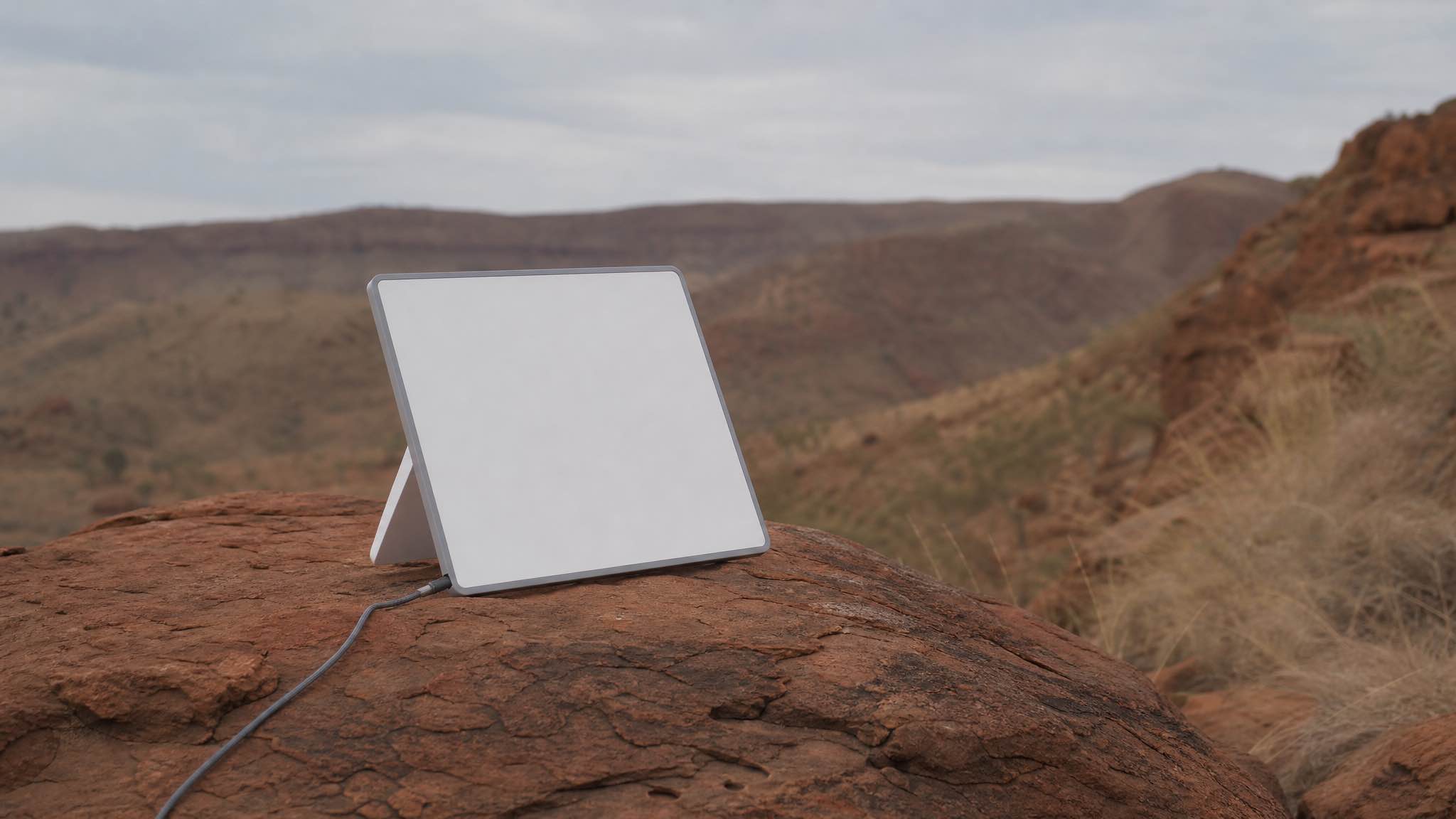
The ACCC measured Starlink in Australia at 230.4 Mbps across all hours and 199.1 Mbps during the 7pm to 11pm weeknight peak, with upload at 47.5 Mbps, on Residential Max services. That is independent testing, not a marketing figure, and the plan it was measured on matters more than the number.
It also comes with a caveat almost nobody repeats, and it changes the answer for most people. More on that in a moment.
Our own hire kits, out in regional WA rather than on a test panel, come back reading 100 to 200 Mbps down. Both numbers are true. This page explains why they differ and which one applies to you.
The number everyone quotes, and the footnote they leave off
The 230.4 Mbps figure comes from the ACCC’s Measuring Broadband Australia programme, Report 33, based on measurements taken from 1 to 31 March 2026.
Here is what the ACCC actually says about that sample, word for word:
In this sample, there were 48 units on the Residential Max plan and 3 units on the Residential 100 Mbps plan. The download and upload speed results that follow only include services on the Residential Max plan.
So the headline Australian Starlink speed figure is a Residential Max figure. Max is the $150 a month uncapped plan.
If you are on Residential 100 at $75 a month, your download is capped at 100 Mbps by the plan, not by the network. You will never see 230 Mbps, no matter how clear your sky is. On Residential 200 at $110 you are capped at 200.
Since Starlink introduced the cheaper capped tiers in 2026, “how fast is Starlink in Australia” no longer has a single answer. It depends on which plan you bought. Most pages answering that question have not caught up, and Google’s own AI summary currently repeats the 230-ish figure without the plan caveat attached.
| What you are on | Realistic download | Why |
|---|---|---|
| Residential 100 ($75) | Up to 100 Mbps | Plan cap, not a network limit |
| Residential 200 ($110) | Up to 200 Mbps | Plan cap |
| Residential Max ($150) | ACCC measured 230.4 Mbps average, 199.1 Mbps in peak | Uncapped, top Residential priority |
| Roam 100GB ($85) | Full speed until 100GB, then throttled | Data cap rather than speed cap |
| Roam Unlimited ($210) | Comparable to Max in practice | Uncapped |
Plan prices checked 4 September 2026. We keep the current figures on our Starlink plans in Australia page.
The full ACCC numbers
From Report 33, measured on Starlink’s Residential Max panel of 48 units across 10,919 download tests. These are Residential Max figures, not what a capped plan delivers:
| Measurement | All hours | Busy hours (7pm to 11pm weeknights) |
|---|---|---|
| Download average | 230.4 Mbps | 199.1 Mbps |
| Upload average | 47.5 Mbps | 45.5 Mbps |
The evening drop is about 14% on download and barely anything on upload. That matches what congestion does to a shared cell: everyone streams at once, uploads stay quiet.
Two things worth pulling out of that table. Upload at 45 to 47 Mbps is genuinely good and much better than the older figures still circulating. And the busy-hour download of 199.1 Mbps is still faster than most fixed-line connections in this country.
Speeds have been climbing
The ACCC has measured satellite services since late 2024, so there is now a trend rather than a snapshot:
| Report | Data period | Download, all hours |
|---|---|---|
| First satellite report | Late 2024 | 192 Mbps |
| Report 32 | December 2025 | 225.8 Mbps |
| Report 33 | March 2026 | 230.4 Mbps (Residential Max) |
Roughly a 20% improvement in eighteen months, on the same network, without anyone buying new hardware. That is what launching more satellites does. It is also a reason to distrust any speed figure older than about a year, including the 192 Mbps number that still gets quoted as current.
Outages: the honest part nobody publishes
The ACCC also measures dropouts, and this is the most useful table in the report if you are deciding whether satellite will do for work:
- 35.3% of Starlink units had no outages at all
- 62.7% had an outage at most every other day
- 2.0% had at least one outage a day
Before that scares you off, the duration matters more than the count:
- 71.7% of outages lasted 30 to 60 seconds
- 19.3% lasted 1 to 3 minutes
- 7.0% lasted 3 to 10 minutes
- 2.0% lasted 10 minutes or more
So the typical Starlink experience is a sub-minute blip every couple of days. Annoying mid-sentence on a call, invisible while streaming, and not something that stops you working. That is a fair trade in places where the alternative is nothing.
What we measure on our own kits
We hire Starlink Mini kits out across WA, so we get them back and we hear what happened on the trip. Two readings, both taken in the Starlink app by the people using them:
Esperance, summer 2025-26: 180 Mbps down. Streaming 4K video of an evening, VoIP calls during the day, no complaints.
Exmouth, July 2026: 175 Mbps down. Same story. 4K streaming and voice calls off the same kit, no drop-outs reported.
Neither is a lab test and neither is cherry-picked from a good minute. They are everyday numbers, roughly 1,300 km apart, on opposite sides of the state, taken seven months apart.
Download speed
What Starlink actually measures, nationally and in WA
Four real download figures against the range Starlink publishes for regional Australia. Two come from the ACCC's independent testing of Residential Max services, two came off kits we hired out and got back. Hover or focus a row for the detail.
- Starlink published range, regional AU
- Independent testing
- Our own hire kits
Megabits per second, download
View as a table
| Where | Download | Source |
|---|---|---|
| Australia, ACCC panel, all hours | 230.4 Mbps | ACCC Measuring Broadband Australia Report 33, March 2026 data. Residential Max services only. |
| Australia, ACCC panel, 7pm to 11pm peak | 199.1 Mbps | Same report, peak window only. About 14% off the all-hours average. |
| Esperance, our hire kit, summer 2025-26 | 180 Mbps | Streaming 4K video and running VoIP calls off the same kit. |
| Exmouth, our hire kit, July 2026 | 175 Mbps | 4K streaming and VoIP calls again, no drop-outs. |
| Regional Australia, published range | 50 to 200 Mbps | Starlink specifications document |
Note that these are Mini kits on a mobile plan, deployed on the ground at campsites, not roof-mounted Standard dishes on a test panel. Landing within 25% of the ACCC’s 230.4 Mbps Residential Max average under those conditions is the useful finding here.
The other useful thing about that chart is how boring it is. A remote coastal town on the Coral Coast and a town on the south coast both land close to what the national panel averages. Distance from a capital city is not what decides your Starlink speed.
Why your speed test disagrees with the numbers above
Most people measure Starlink wrong, then conclude the service is slow.
Run the test in the Starlink app rather than a browser. The app tests to the dish itself, so you are measuring the connection you are paying for. A browser test on a laptop measures the connection plus your Wi-Fi, and on a Mini sitting three rooms away behind a brick wall, Wi-Fi is usually the bottleneck rather than the satellite link.
Two other things skew a reading: testing during the 7pm to 11pm window, when the ACCC’s own figures show about 14% off, and testing while something else in the house is downloading. If you want a number you can compare against this page, test in the app, off-peak, with nothing else running.
What actually decides your speed
Not your postcode. In rough order of impact:
- Obstructions. Trees, sheds, hills and tall buildings block the dish’s view of the sky. A single overhanging branch will cut throughput, and swaying branches cause the intermittent drops that are hardest to diagnose. This is the number one cause of a disappointing setup, ahead of everything else on this list.
- Your plan. Since the capped tiers arrived, this is now second on the list rather than absent from it. A perfect sky view on Residential 100 still gives you 100 Mbps.
- Peak hour congestion. The ACCC’s own numbers put the evening drop at about 14%. Busy regional pockets near tourist routes feel it more than empty country does: a caravan park at Exmouth in July has more dishes pointed at the same satellites than a station track on the Nullarbor.
- Heavy rain. A proper Pilbara downpour or a Margaret River winter front knocks speeds back temporarily, usually recovering within minutes of the rain clearing. We went through this in does weather affect Starlink speeds.
Use the Starlink app’s obstruction tool before you commit to a mounting spot. It scans the sky and tells you exactly where signal is being blocked, which takes two minutes and saves an evening of guessing.
Latency, the number that decides your video calls
Speed gets quoted, latency gets felt. It is the delay before anything happens, and it is what made older satellite internet unusable for conversation.
When the ACCC first measured satellite services, Starlink averaged 29.8 ms across all hours. NBN Sky Muster averaged 664.9 ms.
That is not a small gap, it is a different category of connection. Sky Muster’s geostationary satellites sit about 36,000 km up and every request makes that round trip. Starlink runs a constellation a few hundred kilometres up, which is the whole reason low-orbit satellite internet feels different to use rather than just faster on paper.
Latency
Where Starlink sits against the voice-quality budget
Latency decides whether a video call feels natural or awkward, and it is the number satellite internet has historically been terrible at. Both WA bands sit a long way under the delay ceiling the ITU sets for good voice quality.
- Typical Starlink range
- ITU-T G.114 ceiling
Milliseconds, lower is better
View as a table
| Where | Latency | What that means |
|---|---|---|
| Perth metro, typical ping | 25 to 40 ms | Comfortable for Teams, Zoom, and most online gaming. |
| Remote WA, Karratha to Kununurra | 30 to 60 ms | Comparable to a good 4G connection well inside the call-quality budget. |
| ITU-T G.114 ceiling | 150 ms | One-way mouth-to-ear delay budget for good voice quality |
Both WA bands sit far enough under the delay ceiling that a call feels normal. That is the whole reason people can work from a campsite now and could not five years ago.
Is Starlink faster than the NBN?
Depends which NBN. The ACCC measures both, so this is answerable rather than arguable.
Against Sky Muster, comfortably, on every metric that matters.
Against NBN fixed wireless, it is closer than people assume. In the ACCC’s March 2025 comparison, Starlink recorded an average busy hour download of 170.2 Mbps, while NBN Fixed Wireless Home Fast and Superfast plans achieved medians of 166.2 and 283.5 Mbps. Starlink had lower latency and faster website loading; fixed wireless had fewer outages and lower packet loss. The ACCC’s own read was that the difference is “minimal and is unlikely to significantly impact the user’s overall experience”.
Against fixed-line NBN in a city, no, and it is not trying to be. If you can get fibre, get fibre.
What those speeds actually let you do
Requirements are lower than most people assume, which is why a 175 Mbps connection in Exmouth handles a full household:
| What you’re doing | What it needs | Source |
|---|---|---|
| Netflix in 4K | 15 Mbps down | Netflix |
| Netflix in HD | 3 Mbps down | Netflix |
| Zoom group call, 1080p | 3.8 Mbps up, 3.0 down | Zoom |
| Zoom group call, 720p | 2.6 Mbps up, 1.8 down | Zoom |
Put that against the ACCC’s busy-hour figures and even the evening peak leaves room for a 4K stream, two video calls and a few phones at once. Even a capped Residential 100 plan does that comfortably.
Upload is the number to watch, not download. If you work from home, that is the number that decides whether screen sharing holds up, and a big cloud backup running in the background will hurt more than another streaming device will.
Setup tips that actually matter
For homes and rural properties:
- Pick a spot with a wide sky view. The dish wants a broad clear cone, and the app will scan it for you before you drill anything.
- Mount it solid. WA winds, especially north of Geraldton in the cyclone belt, will take a poorly mounted dish off a roof. Use a proper roof or pole mount for anything permanent, not the temporary stand.
- Sort the power. For off-grid setups plan for continuous draw, not peak draw, and give yourself headroom on the battery.
For vehicle setups:
- The Mini is smaller, lighter, and runs off 12V directly. It tops out lower than the Standard dish but it is the right pick for a touring rig.
- Stow it when you are driving. Do not leave it deployed.
- Keep the cable run short and out of foot traffic.
If you want to know whether your route is covered before you book, our Starlink coverage in WA page maps the trips we hire for most.
Buying or hiring
If Starlink is going to be your permanent connection, buy it. Prices and hardware costs vary by address, so check the current figures at your own address rather than trusting a number in a blog post, including ours. We keep the plan comparison current on our Starlink plans page.
If you need it for a trip, a remote work stint or a one-off project, hiring is cheaper and you skip the setup entirely. Our Starlink hire in Perth runs one plan:
- Unlimited: no caps, no overage bills
- $179/week for a 7 to 13 day hire, $22/day from 14 days, $19/day from 25 days
- $300 refundable bond and a 10% deposit at booking
- Pickup from Cloverdale, 5 minutes from Perth airport, 7 day minimum, WA only
No setup fee, no delivery charge, no hidden costs.
What’s changing
Telstra and Starlink are rolling out satellite-to-mobile text messaging, with voice and data to follow (Telstra). Existing LTE phones get coverage from Starlink satellites where there is no tower. That matters for anyone driving the Eyre Highway or the Gibb River Road.
nbn is replacing Sky Muster with nbn LEO, powered by Amazon Leo, offering uncapped data at wholesale speeds of up to 50/10 and 100/20 Mbps. nbn says eligible customers can expect to begin transitioning from around mid-2027. Starlink has had this market largely to itself; that is about to change.
Bottom line
Independent ACCC testing puts Starlink at 230.4 Mbps all hours and 199.1 Mbps in the evening peak, but that is a Residential Max figure and the cheaper plans are capped below it. Pick the plan for the speed you actually want.
Latency is the bigger story anyway. At around 30 ms it is a normal internet connection, and against Sky Muster’s 664.9 ms it is not a close contest.
Our own kits keep coming back from Esperance and Exmouth with numbers that sit close to the national panel, which is the point: your sky view and your plan decide your speed far more than your postcode does.
“Starlink is fantastic in that it’s really fast compared with the services that are available now including 4G, or mobile coverage and Sky Muster.” Daniel Featherstone, RMIT University Researcher, ABC News