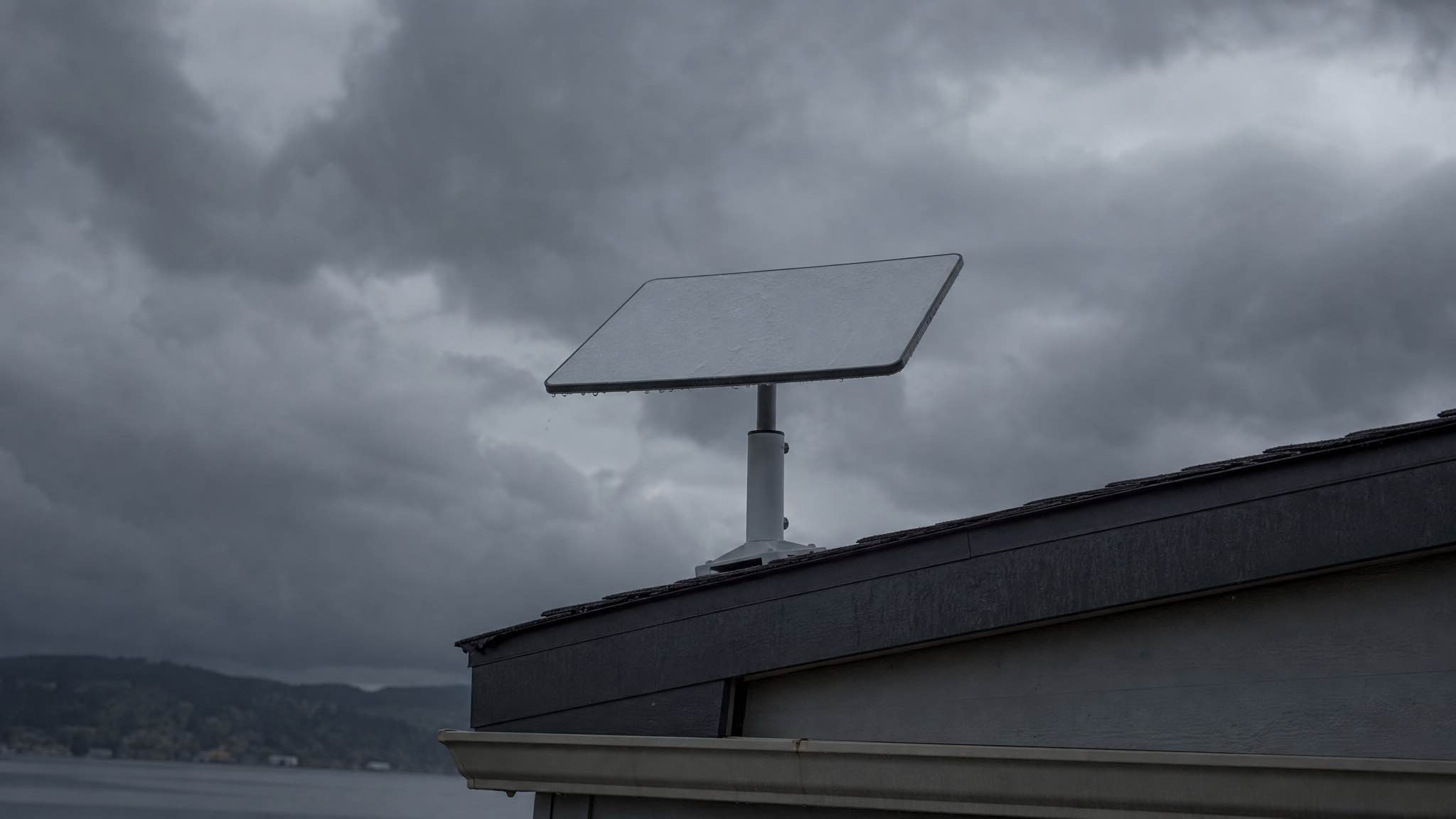
Short answer: yes, weather affects Starlink®, but less than you’d think. Heavy rain and thunderstorms can slow you down for a few minutes at a time. Light drizzle, snow, and a hot day barely move the needle.
Here’s the quick version:
- Rain and storms. Heavy downpours cause short-lived slowdowns. Light rain is fine.
- Snow and ice. The dish has a built-in heater that melts snow off the panel.
- Heat and sun. Extreme heat nudges latency up a touch. Solar interference around the equinoxes can briefly drop the signal twice a year.
- Fog and humidity. No meaningful impact at all.
If you’re renting a dish for a trip and the forecast looks rough, you almost certainly don’t need to change your plans. You do want to set the dish up properly, because setup is what actually decides whether you stay connected.
Why weather slows satellite internet at all
Starlink runs on Ku-band and Ka-band radio frequencies. Both sit in a part of the spectrum where water droplets get in the way. Two things happen when a signal passes through wet air:
- Absorption. Water molecules soak up some of the signal energy.
- Scattering. Raindrops bounce the signal in random directions.
The industry calls this rain fade. Heavier rain, more fade. It is the same physics that affects every satellite service, from sat-phones to TV dishes, and it is the reason satellite internet had a bad reputation for years.
Why Starlink handles it better than the old systems
Traditional satellite internet, the geostationary services like Sky Muster, sits 35,786 km above the equator. Signals have to push through a lot of atmosphere to get there and back.
Starlink satellites sit around 550 km up. That changes the maths in three ways:
- Shorter signal path. Less atmosphere in the way means less rain in the way.
- More satellites in view. Your dish can hand off to another satellite if the current one gets blocked, so a bad patch of sky is a momentary problem rather than a permanent one.
- Fast re-acquisition. Latency stays in the 20 to 40 ms range even when conditions wobble.
In practice, a heavy WA thunderstorm might cost you a slow patch of streaming for a few minutes, not a dead connection for the afternoon. We covered the actual numbers in our guide to Starlink speeds in Perth and WA.
What each kind of weather actually does
Rain and thunderstorms
Light rain: no real impact. You will probably never notice it.
Heavy rain and thunderstorms: this is where you see slowdowns. Speeds drop noticeably during the heaviest part of a cell, then recover within a few minutes once it passes. A tropical low sitting over the Kimberley is the worst case; a Perth winter front is barely a hiccup.
The bigger problem during a storm is usually wind shaking the dish or debris blocking its view, not the rain itself.
Snow and ice
The dish has a heating element built into the panel. Switch on Snow Melt in the app and it keeps itself clear. Not relevant for most of WA, useful if you are heading east into alpine country.
Heat and sun
Hot days do not really hurt throughput. The dish does throttle itself if it gets too hot, so on a 45 degree Pilbara afternoon it is worth putting it somewhere with afternoon shade if you have the option.
Twice a year, around the equinoxes, the sun lines up directly behind a satellite for a few minutes. Radio noise from the sun drowns out the signal. It is brief, predictable, and it affects every satellite service equally.
Fog and humidity
Basically no impact. The droplets are too small to interfere with Ku-band and Ka-band signals.
What a WA year actually throws at a dish
Weather in Western Australia is not one climate, and the answer changes depending on which part of the state you are in and when.
The Kimberley and Pilbara wet season, roughly November to April. This is the only WA weather that genuinely interrupts a connection. Tropical lows and cyclones bring rain rates far beyond an ordinary storm, and during the heaviest bands you should expect real slowdowns. The rest of the wet season is short afternoon storms: a slow ten minutes, then back to normal.
Perth and the South West winter, May to September. Cold fronts roll through in sequence and look dramatic. They are not much of a problem for a dish. The wind is a bigger deal than the rain, which is a mounting question rather than a weather one.
Summer everywhere. Heat and dust rather than water. Keep the dish out of the worst of the afternoon sun where you can, and give it air around the back.
Our own kits back this up. One came back from Exmouth in July 2026 running 175 Mbps with 4K streaming and voice calls, in the middle of the WA winter. Another was at Esperance across the summer at 180 Mbps on the south coast, which gets plenty of weather of its own. Neither trip produced a weather complaint.
If a storm is forecast for your trip
Worth doing, in this order:
- Get the important work done in the morning. WA weather is typically calmer early. If you have a client call or a big upload scheduled, do not save it for 4pm during a wet season build-up.
- Check the mount before the wind arrives, not during. Everything works loose. Storm damage to a dish is almost always a mounting failure, not a water failure.
- Move the dish out from under trees. A branch that was fine in still air becomes an intermittent obstruction in wind, and that causes far more dropouts than the rain will.
- Have a fallback if the work is critical. A 4G hotspot on Telstra, which still has the best regional coverage in WA, covers most of the situations where Starlink is briefly slow. Two connections on different networks is the honest answer for anyone who genuinely cannot afford to drop out.
Setting up so weather stops mattering
A few practical things make a bigger difference than the forecast ever will.
Place the dish with a clear sky view. Use the obstruction tool in the Starlink app before you commit to a spot. Trees, awnings, and overhanging branches cause more dropped connections than rain ever will.
Get it off the ground. Mount or stand the dish where water will not pool around the base or the cable connections.
Seal the cable run. Where the cable enters a vehicle, van, or wall, use a proper grommet or silicone. Water sitting in a connector is what kills hardware, not the storm itself.
Rinse it if you’re on the coast. Salt builds up on the dish surface and degrades signal over months. A monthly freshwater rinse is enough.
If you want to know what a specific route looks like before you commit, our page on Starlink coverage in WA covers the trips we hire for most.
Hiring a dish for a trip in the wet
If the trip is a few weeks rather than a permanent setup, hiring is the cheaper way to do it. For a permanent setup it is the other way round: buy the Mini and pause the plan between trips. Our Starlink hire in WA runs on one plan:
| Hire length | Rate | Data |
|---|---|---|
| 1 week (7 to 13 days) | $179/week | Unlimited |
| 2+ weeks (14 to 24 days) | $22/day | Unlimited |
| Long stay (25+ days) | $19/day | Unlimited |
One plan, unlimited data, no caps and no overage bills. A $300 refundable bond and a 10% deposit lock in the dates. Pickup is from Cloverdale, 5 minutes from Perth airport, with a 7 day minimum. We hire within WA.
Every kit is tested before it goes out, so if the weather does something unusual you are at least starting from known-good gear.
The honest bottom line
Weather affects Starlink. It does not ruin it. A typical Perth winter, a Kimberley wet season storm, a hot Pilbara afternoon: none of that will stop you working or streaming for more than a few minutes at a time.
The things that actually cause dropouts are obstructions, bad mounting, and water getting into a cable. All three are setup problems, not weather problems. Get those right and the dish handles the rest.