Trying to work from a van in WA? Past the wheatbelt, mobile coverage drops off fast, and most of the country you actually want to camp in has no bars at all. Here’s what works and what doesn’t.
The short version:
- Starlink® Mini: portable satellite, real broadband speeds, works anywhere you can see sky. We measured 180 Mbps at Esperance and 175 at Exmouth on our own hire kits. One unlimited plan from $179/week.
- Telstra 4G: the only carrier worth running in regional WA. Optus and Vodafone fall away once you’re past the major centres.
- Free Wi-Fi: fine in Perth and bigger towns, almost useless on the road.
Pair Starlink with a Telstra SIM as backup, sort your power, and you can work from the Pilbara, the Kimberley, or a beach south of Esperance.
Starlink Mini for van life in WA
Why it’s the obvious pick
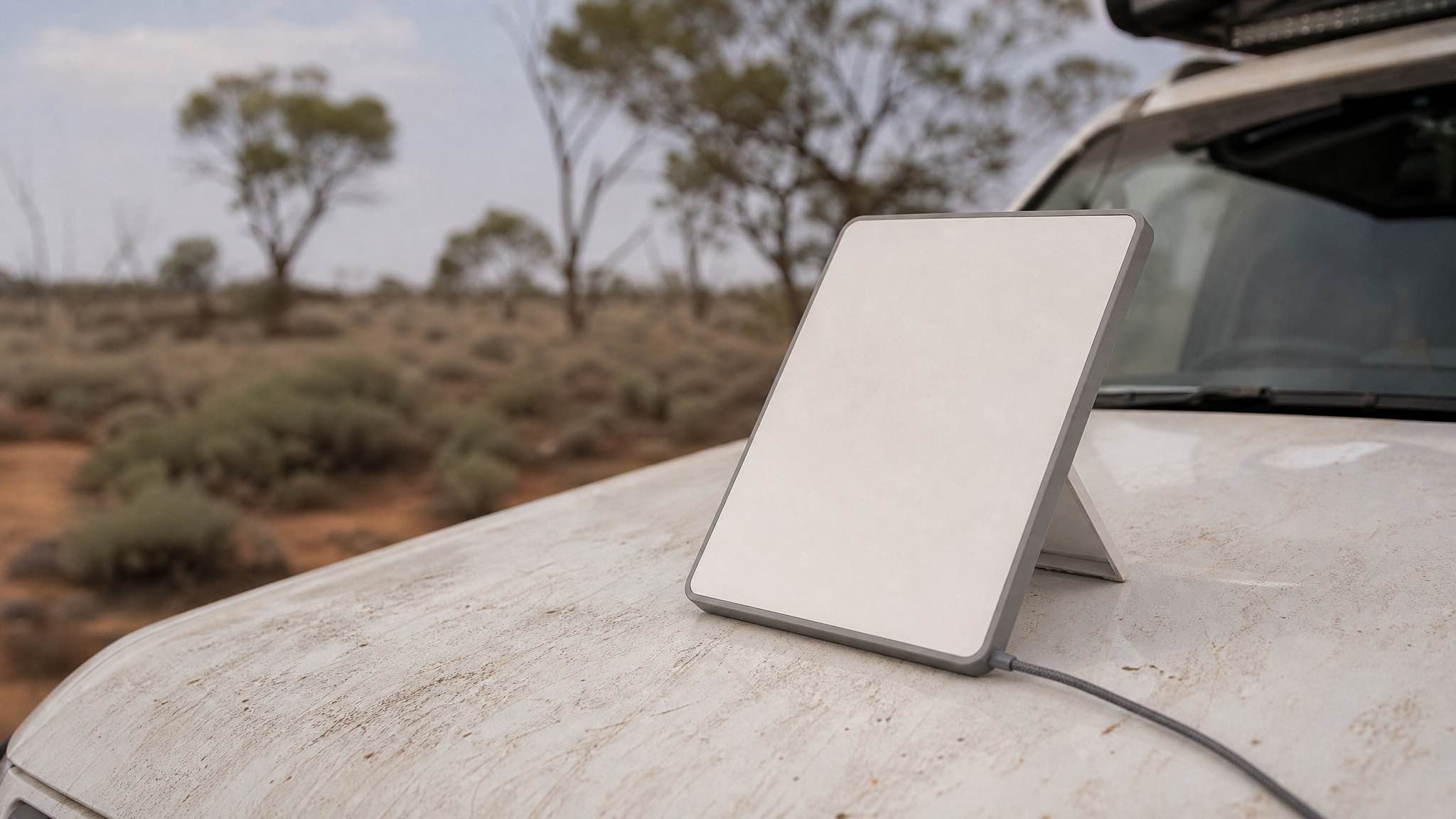
Starlink Mini was built for exactly this. It’s 1.16 kg, about 29 by 25 cm, smaller than a 13-inch MacBook. It pulls roughly 20W once it’s settled, less than half what the older standard dish wants, which matters when you’re running off a battery and a couple of solar panels.
For van life in WA, that combination of small, light, low-draw and genuinely fast is hard to beat.
Specs that actually matter on the road
| Feature | What you get | Why it matters in a van |
|---|---|---|
| Download speed | 100 to 200 Mbps in regional WA | Video calls, file uploads, streaming, all fine |
| Wi-Fi range | ~45 metres | Set up a desk outside under the awning |
| Power input | USB-C, 12V/24V | Wires straight into a van’s house battery |
| Router | Built-in Wi-Fi 5 | One box, no extra kit |
Aim it at clear sky, plug it in, run the Starlink app, you’re online in a couple of minutes.
What it costs to rent in WA
If you’re travelling through WA for a few weeks or months, renting beats buying. We’re based in Perth and run one unlimited plan, priced by how long you hire:
| Hire length | Rate | Data |
|---|---|---|
| 1 week (7 to 13 days) | $179/week | Unlimited |
| 2+ weeks (14 to 24 days) | $22/day | Unlimited |
| Long stay (25+ days) | $19/day | Unlimited |
The hire includes the full kit (dish, router, 12V/24V power cables, mount), a $300 refundable bond, and a 10% deposit to book. It is unlimited data with no caps and no overage bills, so video calls and pushing footage are no problem. Pickup only, WA use, no setup or delivery fees.
The other options, ranked honestly
Telstra 4G (and sometimes 5G)
In WA, this is the only mobile network worth planning around. Telstra’s regional towers reach roughly 20 to 70 km out, depending on terrain. Optus is okay in towns and patchy between them. Vodafone is a Perth-and-major-highways play.
Realistic speeds:
| Network | Typical speed | Where it works |
|---|---|---|
| Telstra 4G | 30 to 60 Mbps | Small towns, rural areas, most highway corridors |
| Telstra 5G | 100+ Mbps | Perth, Bunbury, Geraldton, Kalgoorlie, Karratha, Broome |
| Optus 4G | Variable | Towns and immediate surrounds |
A Telstra prepaid SIM in a 4G hotspot is a solid backup for when Starlink is packing up in heavy rain or you’ve parked under tree cover. Check the Telstra coverage map before you commit to a route.
Free Wi-Fi
Fine for grabbing email in Perth or charging up at a regional library. Not a plan.
- Public libraries: reliable, quiet, free power points. Best of the lot.
- Cafes and chain retailers: good for an hour, slow at peak times.
- WA drive-in Wi-Fi hotspots: the state added a network of these during COVID and a chunk are still active. Worth knowing about for an emergency, not a workspace.
In remote WA, free Wi-Fi basically doesn’t exist. Plan accordingly.
Side by side
| Starlink Mini | Telstra 4G | Free Wi-Fi | |
|---|---|---|---|
| Cost | $19 to 26/day hire | $30 to 80/month | Free |
| Remote coverage | Excellent | Limited | None |
| Setup | 5 minutes | Insert SIM | None |
| Data | Per plan | Per plan | Usually unlimited |
The right answer for most van lifers in WA is Starlink as the primary, a Telstra SIM as backup. Belt and braces, because losing internet on a Tuesday morning with a client call booked is a bad day.
Power: don’t underestimate this part
What Starlink Mini actually draws
The Mini uses 20 to 40W active, around 15W idle. Over 24 hours that’s roughly 480 to 960Wh per day if you leave it on permanently. Most people don’t, so realistic daily draw is more like 200 to 400Wh.
That’s well within the range of a decent portable power station plus a single 100W solar panel in WA sun.
Power stations that work well
| Power station | Realistic Starlink runtime | Best for |
|---|---|---|
| Jackery 300 Plus | 6 to 12 hours | Weekenders, weekday work blocks |
| Jackery 1000 v2 | 22 to 45 hours | Longer trips, light off-grid |
| iTechworld PS2000 | 30+ hours | Full-time van life, multiple devices |
Pair any of these with 100 to 200W of portable solar and you’ll keep up indefinitely in WA outside the cloudy southern winter weeks.
Practical power tips
- Run Starlink off 12V, not the AC inverter. You’ll save 15 to 20% off the top by skipping the conversion loss.
- Download big stuff when you’re plugged in. Caravan parks, friend’s house, anywhere with shore power. Don’t burn battery on Netflix.
- Charge during peak sun, 10am to 2pm. Solar output drops off a cliff outside that window in winter.
- Keep the power station out of direct sun. Lithium batteries hate heat and will throttle output.
The Mini accepts 12 to 48V DC input, so you’ve got options. Starlink only formally guarantees performance with their own supply, but the 12V cable we ship with every rental works fine in practice.
Apps that earn their place on the road
Finding good stops
| App | What it does | Why it’s worth it |
|---|---|---|
| WikiCamps Australia | 60,000+ campsites, reviews, offline maps | The single most useful app for WA travel |
| iOverlander | Crowdsourced spots, including remote ones | Picks up where WikiCamps stops |
| WiFi Map | Community-verified hotspots | Mostly urban, handy in towns |
Download offline maps before you leave reception. WikiCamps in particular is gold once you’re past Geraldton.
Security when you’re on public Wi-Fi
If you’re working from a library or a caravan park network, treat it as hostile:
- Run a VPN. Any reputable paid one will do.
- Turn on multi-factor auth for email, banking, and anything client-facing.
- Keep your laptop and phone OS up to date. Most breaches exploit known holes that already have patches.
On Starlink, you’ve got your own private network, so the risk drops considerably. Still worth running MFA.
Making the work side actually work
A few things we’ve picked up from renters who live this lifestyle:
- Work the cool half of the day. In summer, you want to be on the keyboard 6am to 11am, then off. The van is a tin box.
- Use transit days for offline tasks. Plan content, edit photos, write briefs while you’re driving (well, while someone else is driving).
- Park with sky. If you’ve got a meeting tomorrow morning, pick a site with a clear southern view, not under a stand of marri trees.
- Have a fallback site in mind. If your camp turns out to be a coverage dead zone, know where the nearest town with a library and a Telstra tower is.
The bottom line
For van life in Western Australia, Starlink Mini plus a Telstra SIM is the setup that works almost everywhere you’d want to be. The Mini handles the remote stuff, Telstra fills in when it’s raining sideways or you’re parked under heavy canopy, and your power bill is a few hundred watt-hours a day, easily covered by a modest solar setup.
As at 24 September 2026, Starlink lists hardware from $289 outright on its own website, plus a Roam plan from $85 a month on top. If you are only travelling for a few weeks or a couple of months, hiring is the smarter play. That is what our Perth Starlink hire is for: a kit that works the moment you turn it on, no contract, no setup faff.
Whether you’re working from a cliff above the Kimberley coast or a paddock outside Esperance, the connection follows you.