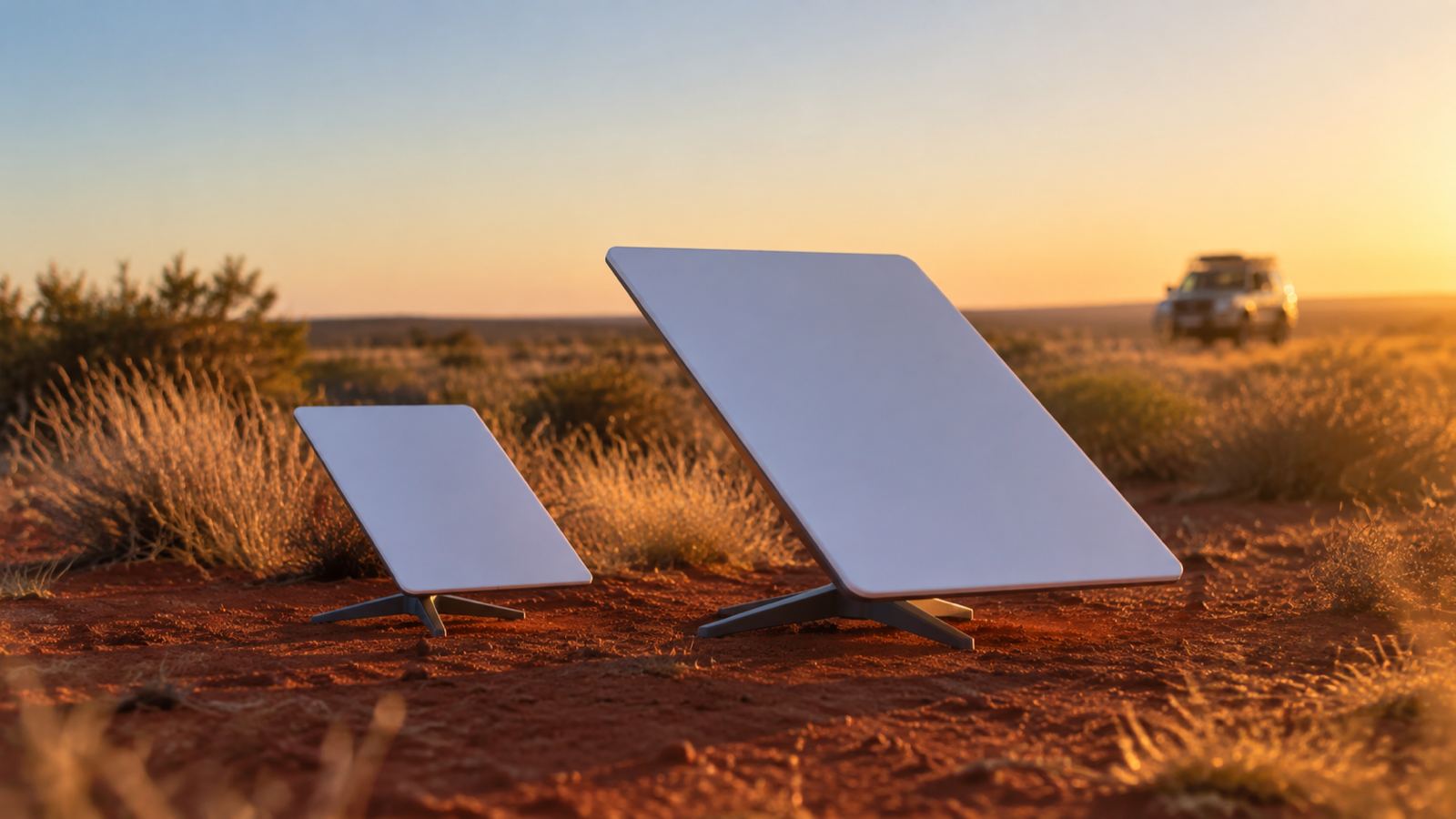
Buy the Mini if it needs to move, run off 12V, or fit in a bag. Buy the Standard 4 X if it lives on a roof at a fixed address and the house is big.
That is the whole decision, and it is not really about speed. Starlink does not publish a speed figure for either unit, which is worth knowing before you read another comparison telling you the Mini is half as fast.
Everything below comes from Starlink’s own spec sheets, converted to nothing because they already publish metric. Most comparison pages you will find are American and quote inches, pounds and square feet.
The specs that actually differ
| Starlink Mini | Standard 4 X | |
|---|---|---|
| Dish size | 298.5 x 259 x 38.5 mm | 594 x 383 x 39.7 mm |
| Weight, dish only | 1.10 kg | 2.9 kg |
| Weight, kickstand and 15 m cable | 1.53 kg | 3.8 kg |
| Power draw | 25 to 40 W | 75 to 100 W |
| Power input | 12 to 48 V DC, 60 W | AC power supply |
| Router | Integrated, Wi-Fi 5 | Separate Router 3 |
| Wi-Fi coverage | Up to 112 m² | Up to 297 m² |
| Snow melt | Up to 25 mm/hour | Up to 40 mm/hour |
| Boxed weight | 2.72 kg | 6.73 kg |
Source: Starlink’s Mini and Standard 4 X specification sheets, read 7 September 2026.
The specs that are identical, which nobody mentions
This is the part most comparisons get wrong by omission. On the things that decide whether a dish survives an Australian summer, the two units are the same:
- Antenna type: electronic phased array, both
- Field of view: 110°, both
- Operating temperature: -30°C to 50°C, both
- Wind rating: operational at 96 kph and above, both
- Environmental rating: IP67 Type 4, both
- Cable in the box: 15 m, both
- Kickstand: built in, flips out, folds away, both
The Mini is not a stripped-back weather-vulnerable version of the Standard. It has the same antenna technology, sees the same amount of sky, and survives the same heat and wind. The snow melt difference is the only environmental spec that separates them, and in Australia that is not a consideration.
Starlink’s own help centre also says both are “suitable for quick set-up or portable use” and both can be drilled into a flat surface for a permanent install. The common framing of “Mini for travel, Standard for home” is a use-case convention, not a hardware limitation.
The number that actually decides it: power
25 to 40 W against 75 to 100 W. On power consumption the Standard uses roughly two and a half to three times what the Mini does. Latency is not a differentiator here: both talk to the same satellites over the same constellation, so ping is decided by your sky view and the network, not by which dish you bought.
If you are on mains, that is a rounding error on your bill. If you are running off a battery, it is the whole decision.
Work it through on a 100 Ah lithium battery, which is a common camper setup. At 30 W average, a Mini draws about 2.5 A at 12 V, so roughly 60 Ah over a full day of continuous use. At 90 W, a Standard draws about 7.5 A, so roughly 180 Ah a day. One of those fits inside a modest system with solar topping it up. The other does not.
The second half of that problem is the input. The Mini takes 12 to 48 V DC directly. The Standard runs off an AC power supply, so in a vehicle it needs an inverter, and an inverter adds its own losses and another failure point.
This is why every camper, caravan and boat setup ends up on a Mini, and it is not really a choice. It is what the hardware supports.
Is the Mini slower?
Probably a little. But almost every number you will see quoted is not from Starlink.
Starlink publishes no download speed on either spec sheet. The “Mini does 100 to 150 Mbps, Standard does 300+” figures circulating in AI summaries and YouTube comparisons come from third-party testing, mostly American, mostly on different plans, and frequently from a single afternoon’s readings.
What we can tell you is what our own kits do. We hire Starlink Minis across Western Australia, so we get them back and hear how they went:
- Esperance, summer 2025-26: 180 Mbps down. 4K streaming of an evening, VoIP calls during the day.
- Exmouth, July 2026: 175 Mbps down. Same story, and the hirer reported no drop-outs across the trip.
For context, the ACCC’s independent testing of Starlink in Australia measured 230.4 Mbps across all hours, on Residential Max services using Standard hardware. So our Minis, sitting on the ground at campsites on a mobile plan, land within about 25% of a roof-mounted Standard on the top-tier home plan.
That gap is real, and for most people it is irrelevant. Netflix in 4K wants 15 Mbps. A 1080p Zoom call wants under 4 Mbps. Both units clear that many times over. The measured detail is in our notes on Starlink speeds in Australia.
The one case where the ceiling matters is a busy household pulling multiple 4K streams and large uploads at once. That is a job for the bigger dish.
Wi-Fi coverage is the sleeper difference
112 m² against 297 m². On paper that reads like a footnote. In a house it is the thing you will actually notice.
The Mini’s Wi-Fi is integrated into the dish. So wherever the dish goes, the Wi-Fi comes from, and the dish needs a clear view of the sky. In a house that usually means outside or on the roof, which is the worst possible place to broadcast Wi-Fi from.
The Standard separates them: dish outside, Router 3 inside where you need it. Better arrangement for a house, and it explains why the coverage figures differ by more than antenna quality alone would.
In a camper or a van, the point is moot. Everything is within a few metres of everything else.
Both units are compatible with Starlink’s mesh systems if you need to extend coverage, and the Mini connects up to 128 devices, so device count is not the constraint.
A note on the names, because they changed
Starlink’s current dish is the Standard 4 X. You will still see it called Gen 3, and the two names refer to the same generation of hardware in most conversations, which is why forum threads comparing “Mini vs Gen 3” are comparing the same two units this page does. If a listing says Gen 2 or a round dish, it is older hardware.
Worth knowing what else is in each box, since it decides your mounting options. The Mini Kit ships with a Pipe Adapter and Flat Mount that fits any pole between 31 mm and 50 mm, so a stationary install on an existing pole needs no extra parts. The Standard 4 X ships with its kickstand and Router 3 but no pole adapter, so a roof or mast install is a separate purchase from the accessories shop.
Which plans each one works with
The hardware and the plan are separate choices, and this trips people up.
- Mini pairs with Roam plans for travel, and can also run a Residential plan at a fixed address.
- Standard 4 X is the usual choice for Residential.
- Residential Max customers are eligible for an additional optional Mini kit on a discounted Roam plan, which is how some people end up owning both.
Current plan pricing and what each tier caps you at is on our Starlink plans in Australia page. Hardware pricing varies by address and by whatever promotion is running, so check the current price for your address rather than trusting a figure in an article.
Which one should you buy
Two use cases, and they separate cleanly.
Buy the Mini if: it moves, it runs off a battery or 12V, it needs to fit in a bag, or you are setting up in one or two rooms. Caravans, campers, boats, utes, remote work kits, emergency backup, a small cabin.
Buy the Standard 4 X if: it lives at one address on a roof or a pole, you have mains power, the house is bigger than about 110 m², or the household regularly runs several heavy streams at once.
Buy neither, yet, if this is one trip. A month of hardware plus a plan is a lot of money to find out whether satellite internet suits how you travel. We hire Mini kits out of Perth for exactly that, and we have worked the break-even out properly if you want to check the maths.
Questions people actually ask
Is the Mini as good as the Standard? For the same job, close. Same antenna type, same field of view, same weather ratings. It has a lower speed ceiling and less Wi-Fi coverage, and it uses a third of the power.
What is the downside of the Mini? Wi-Fi coverage, because the router is inside the dish and the dish has to be outside. That is the honest answer, not speed.
Can I use a Mini as my home internet? Yes, on a Residential plan, as long as its Wi-Fi reaches far enough or you add a mesh node.
Can the Standard run off my camper battery? Not directly. It needs an AC supply, so you need an inverter, and at 75 to 100 W it will drain a modest system in a day.
Do both work in the rain? Both are IP67 rated and both operate above 96 kph wind. What causes dropouts in Australia is an obstructed sky view, not weather. We covered that in does weather affect Starlink speeds.
Which one do you hire out? Minis, exclusively. Portability, 12V input and the low power draw are the whole point for the trips people take here.
Before you order
Check the current hardware price at your address, because it varies by location and by promotion. If the trip is short, hire one instead and find out what you actually need before spending anything.