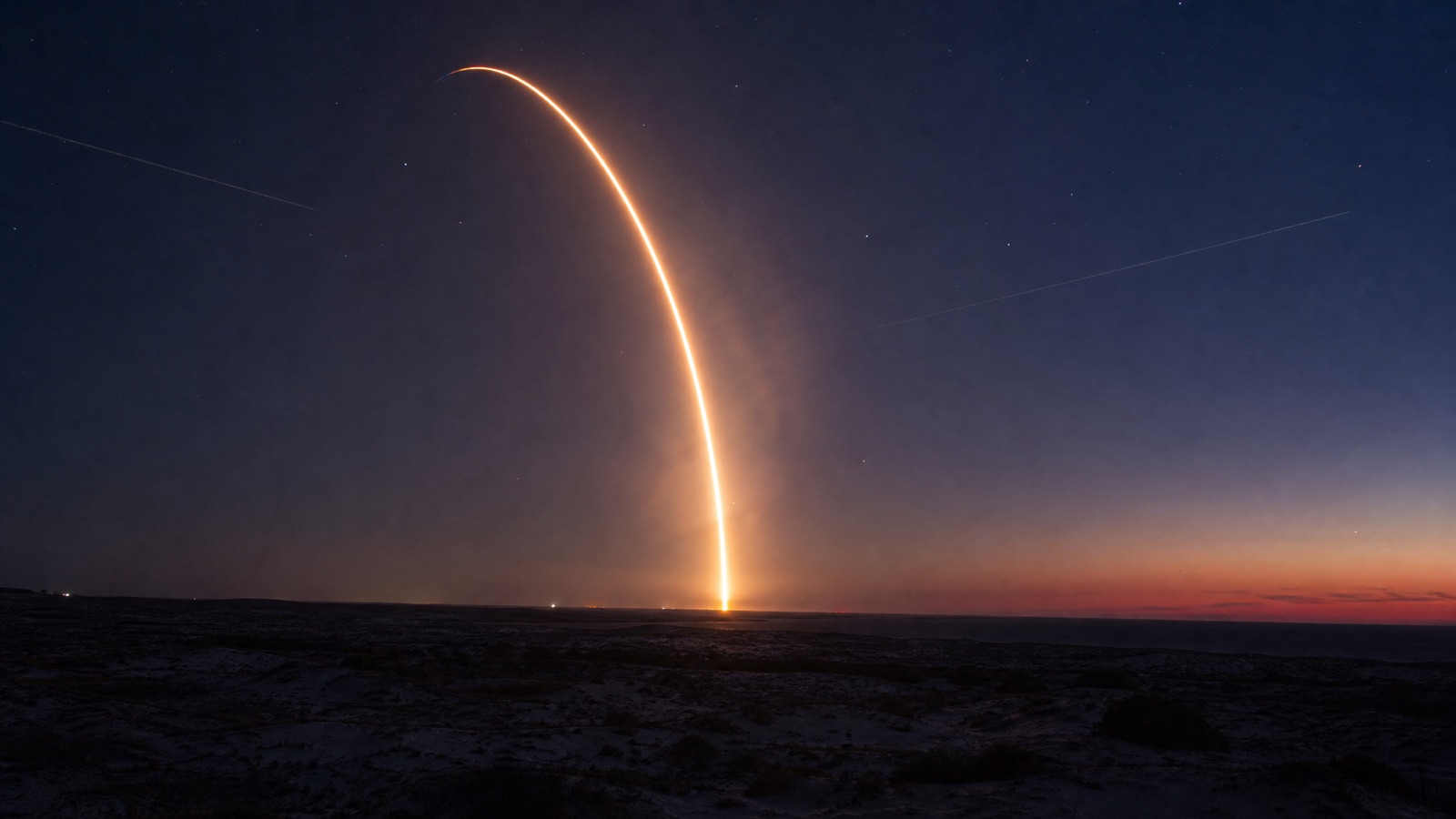
- Starlink® V3 uses bigger satellites with tighter beamforming and a denser laser mesh, which lifts peak capacity and stabilises uploads.
- In Australia, the biggest day-to-day change is fewer evening slowdowns and steadier video calls during weather.
- It is not winner-takes-all. OneWeb, Amazon Kuiper, Viasat, HughesNet and Iridium target different niches.
- Launch cadence and local regulation decide where new capacity actually lands.
- A clean mount and tidy Wi-Fi still matter more than which satellite is overhead.
Starlink V3 is the kind of upgrade you notice before you can explain it. Speeds nudge up, uploads hold better in the evening, and handoffs between satellites feel smoother. None of that shows up as a headline number on a spec sheet, which is why the change is easier to feel than to quote.
Behind those small wins sits a lot of engineering: bigger satellite buses, new laser terminals that keep traffic in space instead of bouncing through ground stations, and beams that carve the sky more precisely. The aim is more usable capacity where people actually live, not just more hardware in orbit. The catch: weather, install choices, and local backhaul still shape what you see day to day.
What’s actually new in Starlink V3
V3 satellites are larger than the V2 Mini units launched through 2024. The bus carries more power, tighter beamforming, and next-generation laser terminals. The practical upshot: more capacity per satellite, better cell planning over crowded suburbs, and less reliance on a single ground station when the backhaul has a bad day.
Laser links are the headline. Inter-satellite links let traffic hop across the sky in near-vacuum at light speed. That trims latency on long routes and keeps remote regions online if a fibre cut takes out a coastal gateway. It also helps ships and aircraft, because their traffic does not have to bend through one ground station’s weather window.
SpaceX’s launch rhythm matters as much as the satellite design. Every batch raises regional density and gives network planners room to steer capacity.
What V3 doesn’t fix: a bad install, a poorly placed mesh node, or a country that hasn’t approved consumer service.
| Constellation | Orbit | Inter-satellite links | User gear | Typical focus |
|---|---|---|---|---|
| Starlink V3 | LEO, multi-shell | Yes, laser mesh | Flat phased-array dish | Home, roam, maritime, aviation |
| OneWeb | LEO, ~1,200 km | Limited so far | Enterprise terminals | Enterprise, mobility, government |
| Amazon Kuiper | LEO, in rollout | Planned | Consumer to pro tiers | Consumer and business at scale |
| Viasat / HughesNet | GEO + hybrid | N/A across sats | Traditional dishes | Fixed sites, bundled plans |
How V3 stacks up against OneWeb and Kuiper
Starlink is the fast mover with consumer reach. OneWeb is the enterprise specialist, leaning into airline and government contracts. Kuiper is the retail challenger with Amazon’s logistics muscle behind it.
If you want a kit you can install this week, Starlink still wins on availability in most regions. If your need is a managed link for an airline route, OneWeb is the usual pick. Kuiper will change the picture as its service regions go live.
What the speeds actually look like
Peak numbers look great on charts. What a household notices is whether streaming buffers and whether the upload holds during a storm.
Rather than quote a projection, it is worth looking at what gets measured. ACCC testing puts Starlink in Perth metro around 192 Mbps across all hours and 165 Mbps in the 7pm to 11pm peak, and our own hire kits came back from Esperance at 180 Mbps and Exmouth at 175 Mbps. The full set, with the sources and the latency picture, is in our notes on Starlink speeds across Perth and Western Australia.
Latency is the sleeper hit. Perth metro typically pings 25 to 40 ms and remote WA 30 to 60 ms, which is well inside the range where a video call feels like a conversation rather than a relay.
Does weather affect Starlink speeds?
Yes. Rain fade and wet snow can clip the signal, and wind can shift a loose mount. The phased-array dish and adaptive coding fight through more than you’d expect. There’s a clean breakdown in does weather affect Starlink speeds. The pattern is consistent: light rain barely registers, heavy downpours dip speeds for a few minutes, and upload is the first thing to wobble if your dish view is partly blocked.
Mount the dish high enough that the heaters aren’t fighting standing water, and keep cables tidy at the entry point. If you stream for work, add a cheap 4G fallback so a squall is just a hiccup. If you would rather try a dish before buying one, that is what our Starlink Mini hire is for. A poor Wi-Fi layout also kills perceived speed: Starlink can feed 200 Mbps easily, but a mis-placed mesh still shows 30 Mbps in a corner bedroom.
Coverage, mobility, and reliability in remote Australia
The big swing in remote areas isn’t peak speed, it’s predictability. If a Friday afternoon call can be trusted to work, you plan differently. You put sensors on tanks. You move cattle before a rain band closes the road. The farm runs tighter. For a wider angle on this, see how Starlink is changing remote access in Australia.
Mobility is the other story. Travellers, fishers, and van-lifers lean on the roaming tiers, with V3 helping at crowded campsites and along coastal highways where demand spikes in peak season. The satellite-to-satellite routing also helps boats that head offshore, where fewer dropouts matter more than raw throughput.
| Use case | Plan tier | Typical throughput | Key benefit | Gotcha |
|---|---|---|---|---|
| Remote home | Residential | 100-200 Mbps | Low-latency classes and calls | Tree lines can block view |
| Travel trailer | Roam | 60-200 Mbps | Flex service across regions | Local policies vary by country |
| Coastal fishing | Maritime | 50-220 Mbps | Offshore coverage with lasers | Hardware cost is higher |
| Small airline | Aviation | Depends on kit | Cabin Wi-Fi with lower latency | Certification timelines |
Is V3 good for travel and boats?
Short answer: yes, if you value reliable maps, weather updates, and crew calls. Phone hotspots are fine near towns. Offshore and across quiet highways, V3 smooths the bumps. The main cost is specialised hardware for marine or aviation. On a budget, start with a standard dish, mount it securely, and test your usual route before committing to a pro install. Plenty of crews run a dual setup: cellular near shore, Starlink offshore.
Competitors and the policy chessboard
LEO is not a solo act. OneWeb has stitched together partnerships with airlines, telcos, and governments. Amazon Kuiper is building terminals across price tiers and leaning on Blue Origin and other rockets for lift. Iridium focuses on global narrowband and safety services that pair well with LEO broadband. Viasat and HughesNet still run large GEO satellites for fixed sites and are pushing hybrid LEO/GEO plans.
The rough pattern: Starlink ships scale first, OneWeb defends high-value contracts, Kuiper prepares a big retail wave.
Policy sets the borders. Landing rights, frequency coordination, and space safety rules decide how fast a network grows. Some countries welcome consumer kits; others stick to enterprise-only access. If you plan to roam across regions, check local rules before you travel.
| Provider | Network | Strength | Trade-off | Who should look |
|---|---|---|---|---|
| Starlink V3 | LEO broadband | Capacity growth and low latency | Supply and policy gaps in some regions | Homes, fleets, remote work |
| OneWeb | LEO enterprise | Service guarantees via partners | Less self-install reach | Aviation and B2B |
| Amazon Kuiper | LEO in rollout | Hardware tiers and retail channels | Coverage rolling out by region | Homes and SMBs at scale |
| Viasat / HughesNet | GEO broadband | Wide footprint, fixed sites | Higher latency | Static offices and rural homes |
| Iridium | LEO narrowband | Global safety and tracking | Not for high throughput | Maritime, aviation safety |
Who is winning?
Different races, different winners. For a family kit shipped this month, Starlink leads. For airline contracts or government networks, OneWeb is deeply embedded. For long-term retail pressure on pricing, Kuiper is the one to watch once it exits test phases. SpaceX’s launch tempo gives Starlink a speed edge, but policy and market deals still set the lanes. Watch launch schedules and spectrum filings to see where new capacity is heading.
Hardware, setup, and troubleshooting
V3 helps from space, but the last 20 metres are on you. A clean mount, a dry cable run, and a sensible router layout decide if your home actually feels fast. The most common version of this we see on returned hire kits is a dish tucked below a roofline to keep it out of the wind: tidy to look at, and blocked exactly where it needed sky.
If you’re new, start simple. Use the official tripod to find a clear sky patch, watch the app for obstructions, then commit to a permanent mount. Most issues come from the same handful of mistakes. Our guide on common setup issues and fixes covers loose connectors, hidden obstructions, and double NAT on home routers.
Quick install rules:
- Mount high and clear. Aim above trees and ridges. Test with the app before drilling.
- Protect the cable. Gentle bends and a drip loop before the entry point.
- Tune your Wi-Fi. One good access point beats three bad ones. Cable where you can.
- Plan a fallback. A basic 4G stick in the router avoids panic during a rare outage.
| Cost item | What to expect | How to keep it sane |
|---|---|---|
| Hardware | Varies by region and kit tier | Watch for promos and certified refurb |
| Monthly service | Residential vs Roam differ | Pick the lowest tier that meets peak needs |
| Roaming add-ons | Country-specific rules apply | Check policy before cross-border trips |
| Pro installs | Higher for marine and aviation | Trial standard dish on your route first |
Is V3 worth it for my home?
If you can get stable fibre, fibre still wins. If your real choice is old copper or congested 4G, Starlink V3 is the biggest jump in speed and latency I’ve seen for most homes. You get fast page loads, fewer evening stalls, and the ability to move house without rewiring a street. For off-grid setups, pairing Starlink with battery and solar is straightforward. Current kits and plan pricing are on Starlink’s own site. If you want to check a route first, see Starlink coverage in WA.
What V3 means for cities and the next million users
City apartments don’t look like cattle stations, but V3 helps there too. Denser capacity and smarter beams chip away at the evening crunch in suburbs that were already “covered”. In testing around medium-density blocks, page loads got snappier after recent batches, and upload didn’t crater when neighbours started a video binge.
Regulators are the quiet players. Approvals, spectrum reuse rules, and orbital debris concerns set the pace for new shells and service tiers. Some countries greenlight consumer kits quickly; others stick to business links via local partners.
Many neighbourhoods will end up with a mix: fibre on main streets, fixed wireless on the edges, and LEO for homes that never got trenching. Cost curves in electronics are unforgiving, and whoever wins the supply chain game can quietly widen their lead.
What should I watch over the next year?
Launch cadence, new plan tiers, and hardware tweaks to user terminals. Also competitor moves: OneWeb’s enterprise push, Kuiper rollouts, and hybrid GEO/LEO offers from Viasat or HughesNet will shape pricing. The next million users won’t care about acronyms. They’ll care that Netflix works and the kids can upload a school project at 8 pm. V3 moves the needle on that test.
FAQ
Does weather affect Starlink speeds?
Heavy rain and wet snow can dip speeds for a few minutes, and upload is the first to wobble if the dish view is partly blocked. A high, clear mount and protected cabling reduce most issues. There is a full breakdown earlier in this piece.
Can Starlink V3 replace my rural DSL or fixed wireless?
For most rural homes, yes. Latency is far lower than GEO satellite and speeds usually beat old copper or congested 4G. Test at your site first, and set up a basic 4G failover for rare outages.
Is my older dish compatible with V3 satellites?
User terminals talk to the network regardless of which satellite generation is overhead. You don’t need a new dish to benefit from V3 capacity, though future premium plans may pair with upgraded hardware for mobility or enterprise features.
How does Starlink compare with Viasat and HughesNet?
Starlink uses low Earth orbit for lower latency and faster page loads. Viasat and HughesNet run high-throughput GEO satellites with broader footprints but much higher ping. Some users pick hybrid routers that use LEO for interactive work and GEO for bulk downloads.