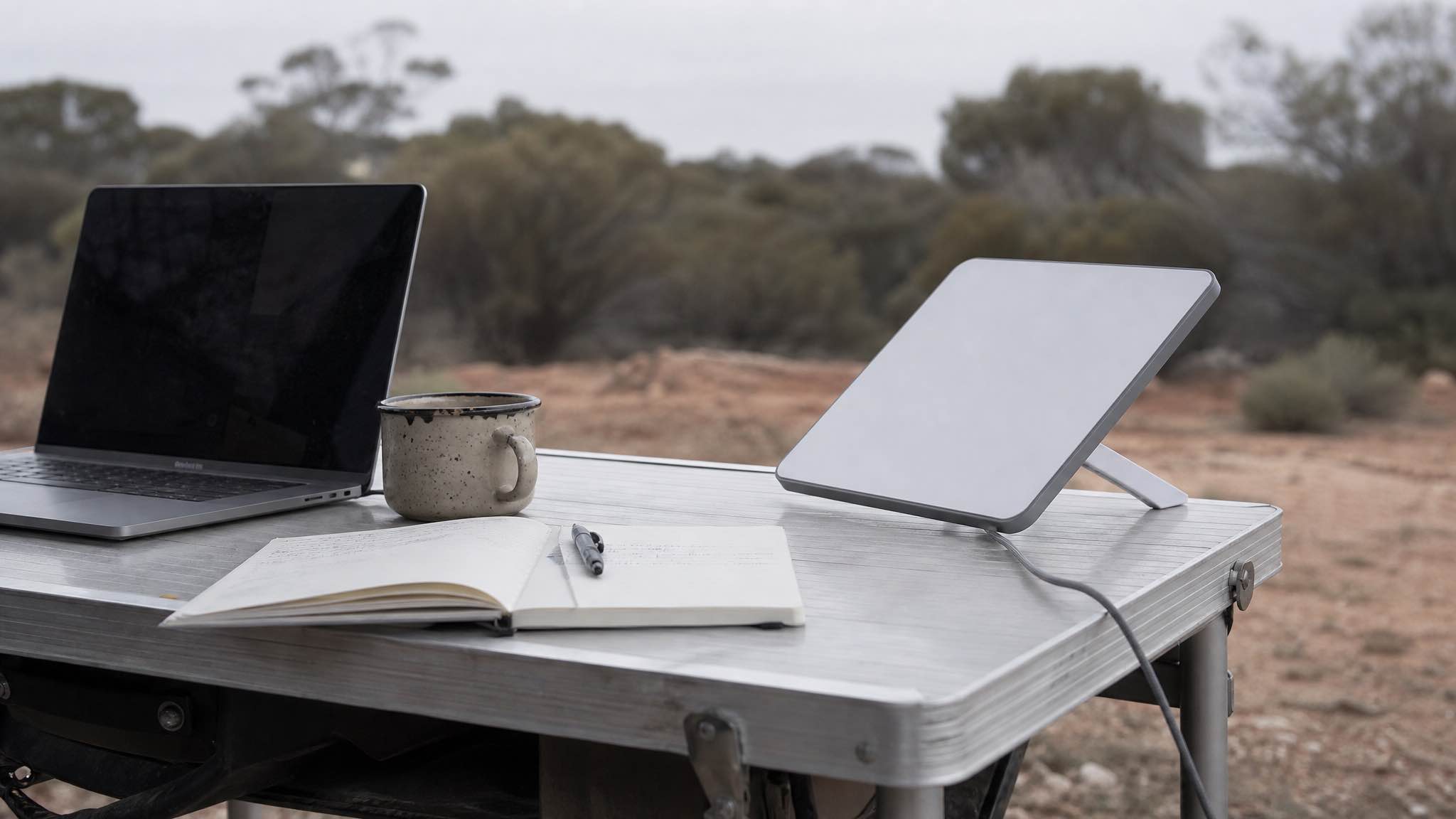
Need reliable internet for remote work in the Australian outback? The short version, before the detail:
- Low Earth orbit satellite (Starlink). The only option that reliably carries a video call from genuinely remote country. Regional Australia sees 50 to 200 Mbps down and 10 to 25 Mbps up, at latency low enough that a call feels normal.
- Mobile. Telstra is the only network worth planning a route around, and even then it is a bonus where you have it, not a plan.
- Fixed line and geostationary satellite. Not serious options for anything time-sensitive. The physics of a satellite parked 35,786 km up does not allow it.
If you are heading bush for a week, a month, or a season, the question is not which option looks best on paper. It is which one still works when you are parked 400 km from the nearest town with a 9am stand-up.
What outback connectivity actually looks like
Most people heading into remote WA assume they will get by on mobile data and find Wi-Fi at the pub. They will not.
Mobile: the 99.7% figure is measured by people, not land
Telstra’s headline coverage figure sounds reassuring until you notice it counts population, not landmass. Drive the Great Northern Highway past Meekatharra, take the Tanami, or head into the Pilbara off the main routes, and you will spend most of the day on SOS-only. Check the Telstra coverage map against your actual route before you rely on it.
Optus holds up in towns and fades between them. Vodafone is a Perth and major-highway proposition. For remote work, a Telstra SIM is a useful second connection and a poor first one.
Fixed line: largely absent
Where copper or fixed wireless exists in remote WA it is slow, and in most of the places people actually work from it does not exist at all. Plan as though it is not there.
Geostationary satellite: the latency problem
Services like NBN Sky Muster put their satellites in geostationary orbit, 35,786 km above the equator. Every packet makes that round trip. ACCC benchmarking has Starlink running roughly four times faster with 22 times lower latency than those older satellite services (ACS).
That latency gap is the whole story for remote work. It is the difference between a conversation and a walkie-talkie exchange.
What Starlink actually delivers out there
Starlink’s own specifications document puts Standard service in regional Australia at 50 to 200 Mbps down and 10 to 25 Mbps up. Priority plans lift the ceiling to around 220 Mbps with a guaranteed slice of bandwidth.
We hire these kits out across WA, so we see what they do in the field rather than in a spec sheet:
Download speed
What Starlink actually measures, nationally and in WA
Four real download figures against the range Starlink publishes for regional Australia. Two come from the ACCC's independent testing of Residential Max services, two came off kits we hired out and got back. Hover or focus a row for the detail.
- Starlink published range, regional AU
- Independent testing
- Our own hire kits
Megabits per second, download
View as a table
| Where | Download | Source |
|---|---|---|
| Australia, ACCC panel, all hours | 230.4 Mbps | ACCC Measuring Broadband Australia Report 33, March 2026 data. Residential Max services only. |
| Australia, ACCC panel, 7pm to 11pm peak | 199.1 Mbps | Same report, peak window only. About 14% off the all-hours average. |
| Esperance, our hire kit, summer 2025-26 | 180 Mbps | Streaming 4K video and running VoIP calls off the same kit. |
| Exmouth, our hire kit, July 2026 | 175 Mbps | 4K streaming and VoIP calls again, no drop-outs. |
| Regional Australia, published range | 50 to 200 Mbps | Starlink specifications document |
Two of those readings are ours, taken seven months apart on opposite sides of the state, and both landed within a few Mbps of what independent testing measures in Perth metro. Distance from a capital city is not what decides your speed. Sky view and cell congestion are.
Is that enough to actually work?
Requirements are lower than most people assume, which is the reassuring part:
| What you’re doing | What it needs | Source |
|---|---|---|
| Zoom group call, 1080p | 3.8 Mbps up, 3.0 down | Zoom |
| Zoom group call, 720p | 2.6 Mbps up, 1.8 down | Zoom |
| Netflix in 4K, off the clock | 15 Mbps down | Netflix |
Upload is the number that matters for work, not download. A regional upload allowance of 10 to 25 Mbps carries several simultaneous video calls comfortably. What it will not carry is a full cloud backup running in the background while you are on a client call, so pause the sync.
The Starlink Mini: the unit that suits field work
The Mini is the version most remote workers care about. It weighs 1.16 kg, packs into a backpack, runs off 12V directly, and handles the temperature range WA throws at it.
| Feature | Specification |
|---|---|
| Weight | 1.16 kg |
| Power draw | 20 to 40 W active, around 15 W idle |
| Device support | Up to 128 devices |
| Operating temperature | -30 to 50 degrees C |
The Standard dish is faster at the top end but draws more power and is a poor fit for a vehicle. For anyone working out of a ute, a van or a camp, the Mini is the right call.
Power is the part people underestimate
Alignment gets the attention; flat batteries end more work days.
The Mini needs 100 W (20 V at 5 A) to perform at full whack. It will run on less, but you will see throttling and reboots. Over a full working day of active use you are looking at roughly 200 to 400 Wh in practice, more if you leave it powered around the clock.
What works in the field:
- 12V direct from the house battery. This is what we ship with every hire kit. Most efficient, no inverter losses. Watch the polarity.
- A portable power station of 500 Wh or more. Comfortably covers a working day with headroom for a laptop.
- 100 to 200 W of folding solar. In WA sun that keeps a decent station level indefinitely, outside the cloudier southern winter weeks.
- 240V through an inverter. Works, but you lose 10 to 15% of the battery to conversion. Fine if the inverter is already running.
If the Mini cycles on and off, the power source cannot hold voltage under load. Check the battery state of charge before you blame the dish. Test the whole rig in the driveway before you drive 1,000 km with it.
Setting up when you get there
- Clear sky view. Position the dish where it has open sky. Tall trees, gorge walls and even a high awning cause dropouts. Run the obstruction check in the Starlink app before you commit to a spot; it takes 90 seconds and saves an evening of guessing.
- Mounting. For short stays the kickstand on level ground is fine. For longer stays or windy spots, use a proper pole or tripod mount. The kickstand is not a mount for anything that moves.
- Cables. Keep the run short and out of foot traffic. The 15 m cable in our kits means the dish does not have to sit next to your desk.
If something does go wrong, the fault is almost always obstruction, power, or cable, in that order. We walked through the five failures we see most often in common Starlink setup issues.
Who is actually running this
Remote work is the small end of it. WA Police has put $8.5 million into Starlink, connecting 550 vehicles and 129 regional stations (Teslarati), which is a serious operational bet in exactly the conditions our renters work in.
Mining, survey, construction and agriculture have followed for the same reasons: it works across the temperature range, draws modest power, and supports the device count a field crew actually has.
Buying versus hiring
As at 24 September 2026, the Starlink website lists hardware from $289 in selected areas, with Residential plans from $75 a month and Roam, the plan you need on the move, from $85 a month. If remote work is your permanent life, buy it.
If it is a field trip, a contract, or a season, hiring is cheaper and you skip the setup entirely. Our Starlink hire out of Perth runs one plan:
- Unlimited, one plan: no caps, no overage bills
- $179/week for a 7 to 13 day hire, $22/day from 14 days, $19/day from 25 days
- $300 refundable bond, 10% deposit to secure the dates
- Pickup from Cloverdale, 5 minutes from Perth airport, 7 day minimum, WA only
No setup fee, no delivery charge, no hidden costs. Every kit ships with the Mini, a 15 m cable, the 240V adapter, a 12/24V vehicle cable and a transport bag, and gets tested before it goes out.
For a two-week field trip or a month-long working stint, that is less than buying hardware and paying for a plan you will not use the rest of the year.
The honest summary
For remote work in outback WA, the realistic answer is low Earth orbit satellite, and right now that means Starlink. Mobile is a bonus where you have it. Fixed line and geostationary satellite are not serious options for anything with a deadline attached.
The Mini gives you real broadband in places that had nothing a few years ago, runs off a modest solar setup, and survives the conditions. Buy it if remote work is your life. Hire it if it is your next month.