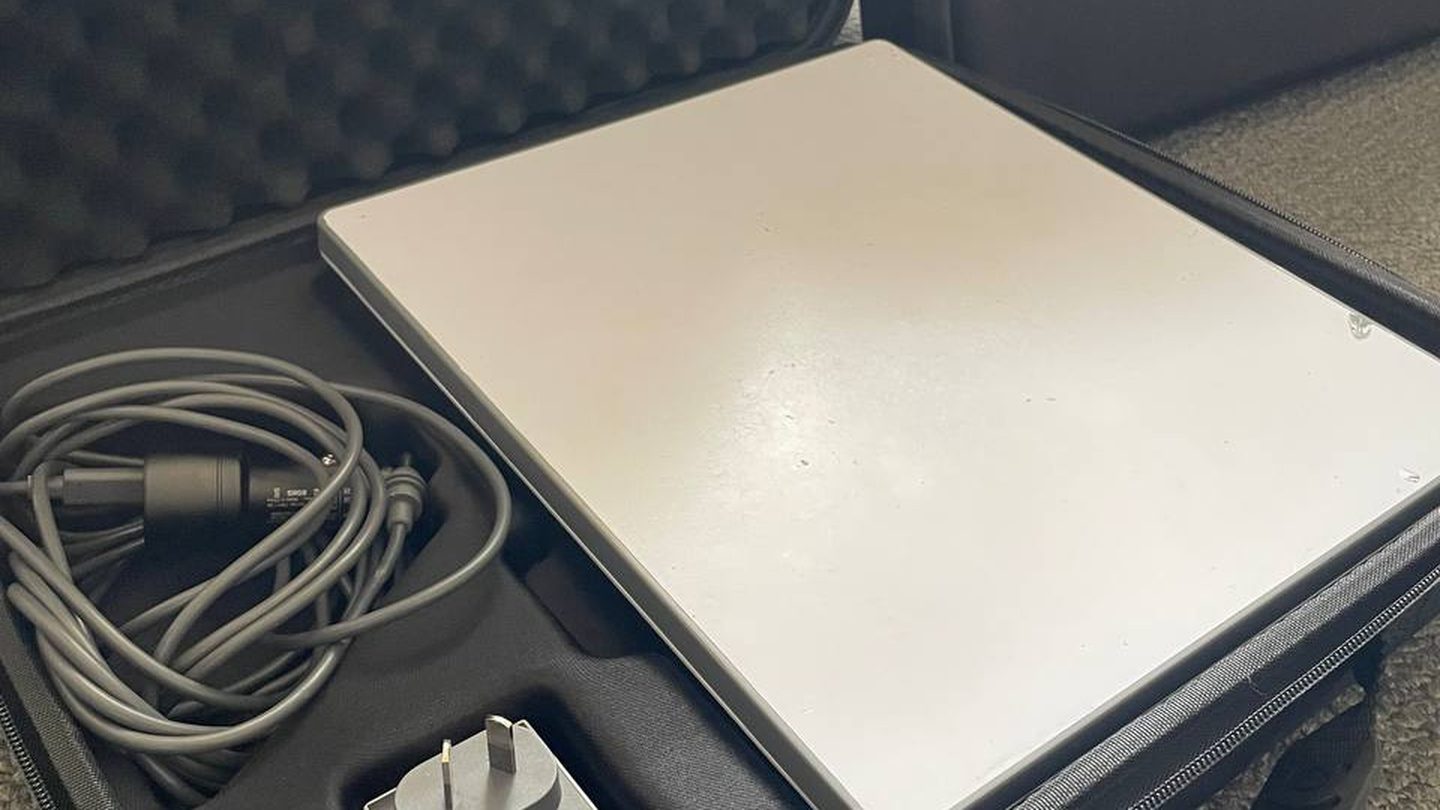
One hard case, and everything in it is what you need to be online. No shopping list, no trip to Jaycar on the way out of town, no adapter you find out you are missing at 400 km from the nearest shop.
These are photos of an actual kit that goes out to renters, taken as it comes back and gets checked. Not a product render.
Everything in the bag
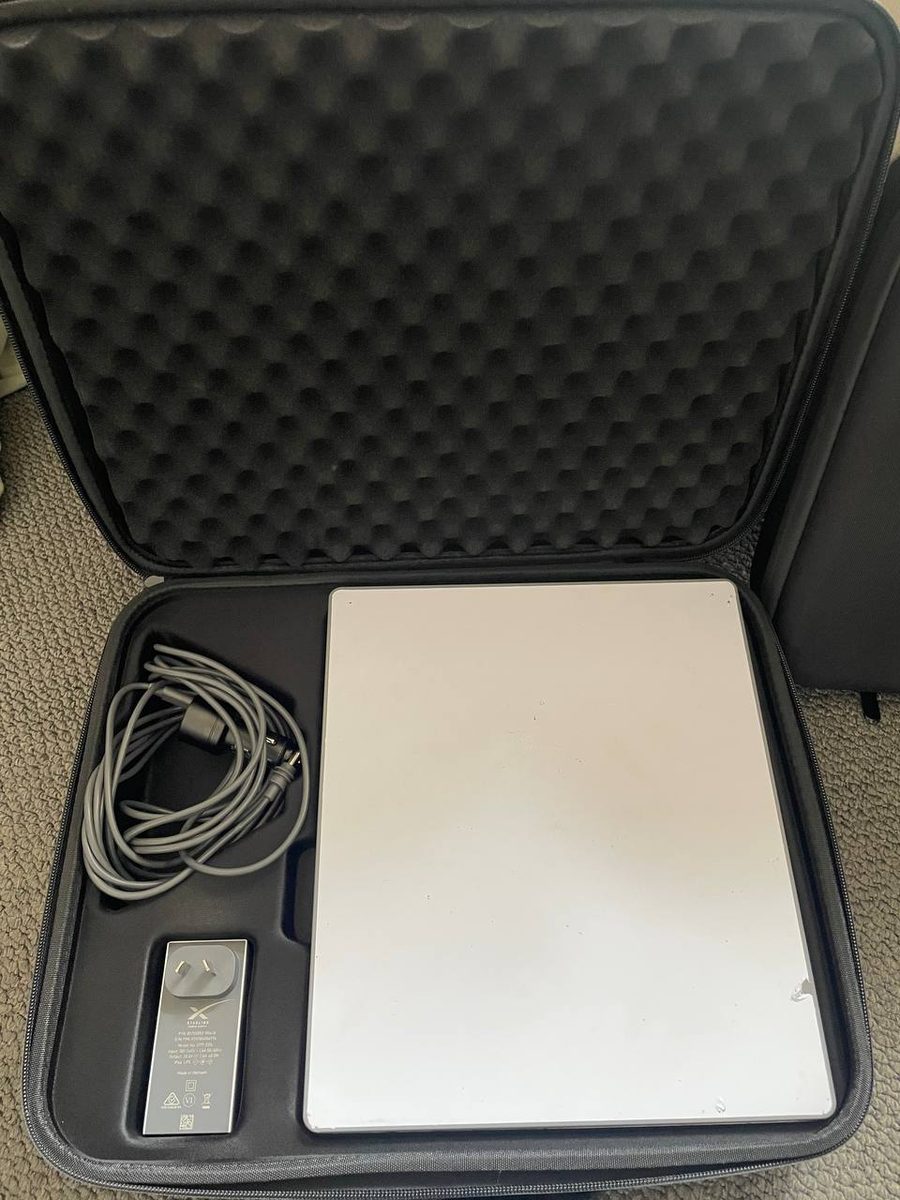
| Item | What it does |
|---|---|
| Starlink Mini dish | The antenna and the Wi-Fi router in one unit, about 1.16 kg |
| 15 m power cable | Lets the dish sit in clear sky while you sit somewhere sensible |
| 3 m short cable | For tight setups where the dish is right beside you |
| 240V mains adapter | Straight into a caravan park post or a house |
| 12/24V vehicle cable | Runs the dish off your house battery, no inverter needed |
| Padded hard case | Everything packs back into its own cutout |
The Mini has the router built into it, which is why there is no separate box to find room for. That is the practical difference between the Mini and the bigger Standard dish, and it is the reason we hire this one.
The dish
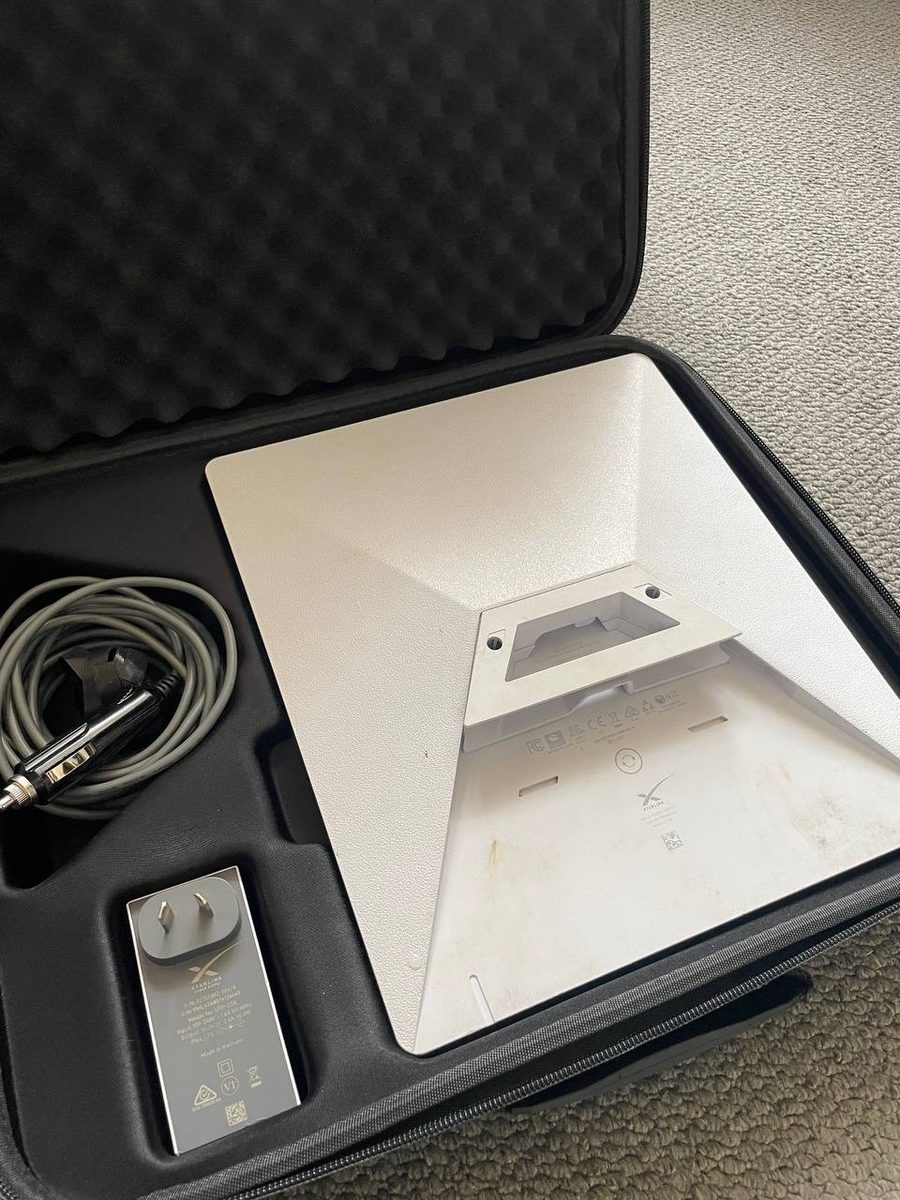
The kickstand folds out of the back and sets the angle for you. On flat ground in a clearing that is genuinely all you need, and setup is typically under five minutes from opening the case to being online.
The slot in the middle of the underside is the standard Starlink mount point, so if you already own a pole or roof mount it will fit. Worth saying plainly: the kickstand is not a mount. It is fine on a camp table or level ground, and it is not something to trust on a roof or in wind.
The cables
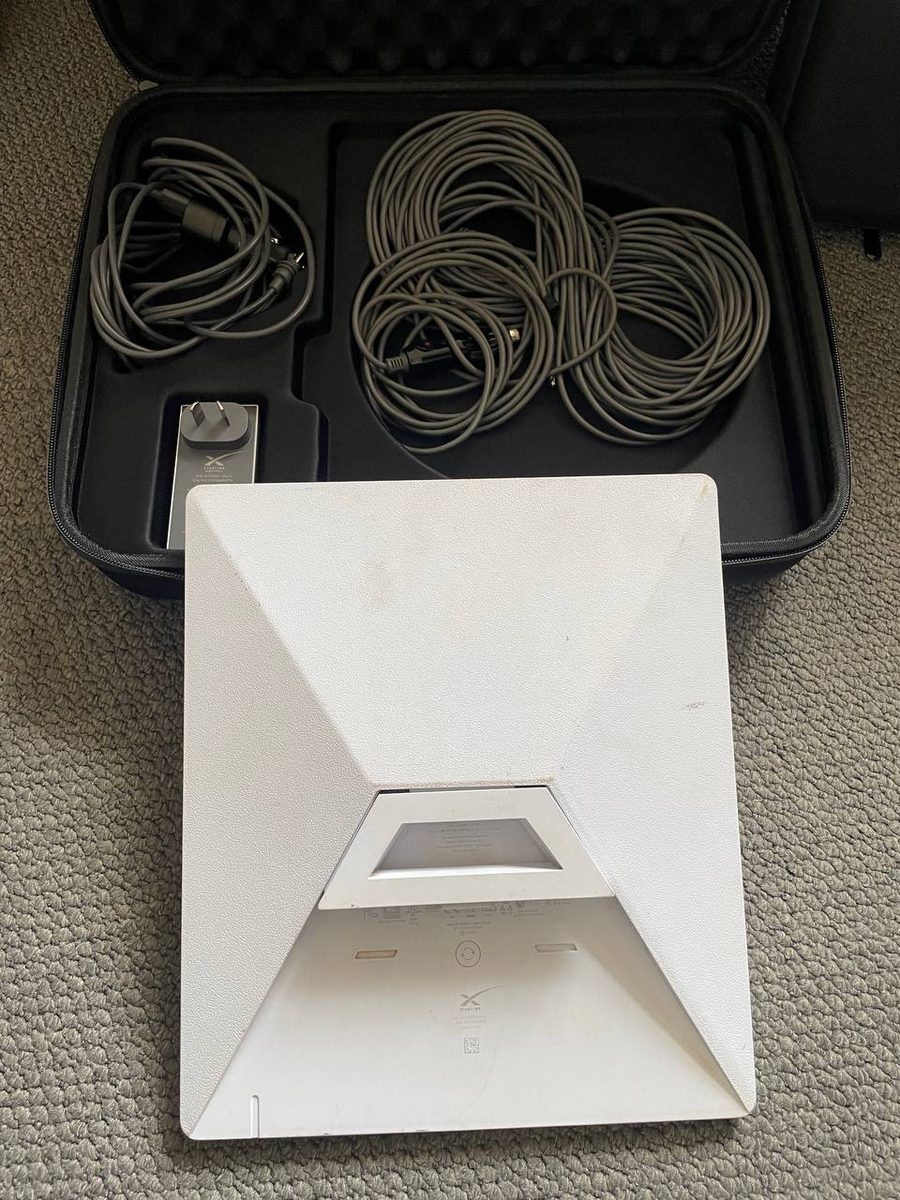
Two lengths, because the right one depends on where you end up. The 15 m run is what most people use: it puts the dish out in the open while the Wi-Fi still reaches the van or the tent. The short cable is for when the dish is sitting right next to you and 15 metres of cable underfoot is just a trip hazard.
The vehicle lead is the one people underestimate. Running off 12V direct from a house battery skips the inverter entirely, which saves you 10 to 15% of the battery you would otherwise lose to conversion. Watch the polarity, red to positive.
How it packs down
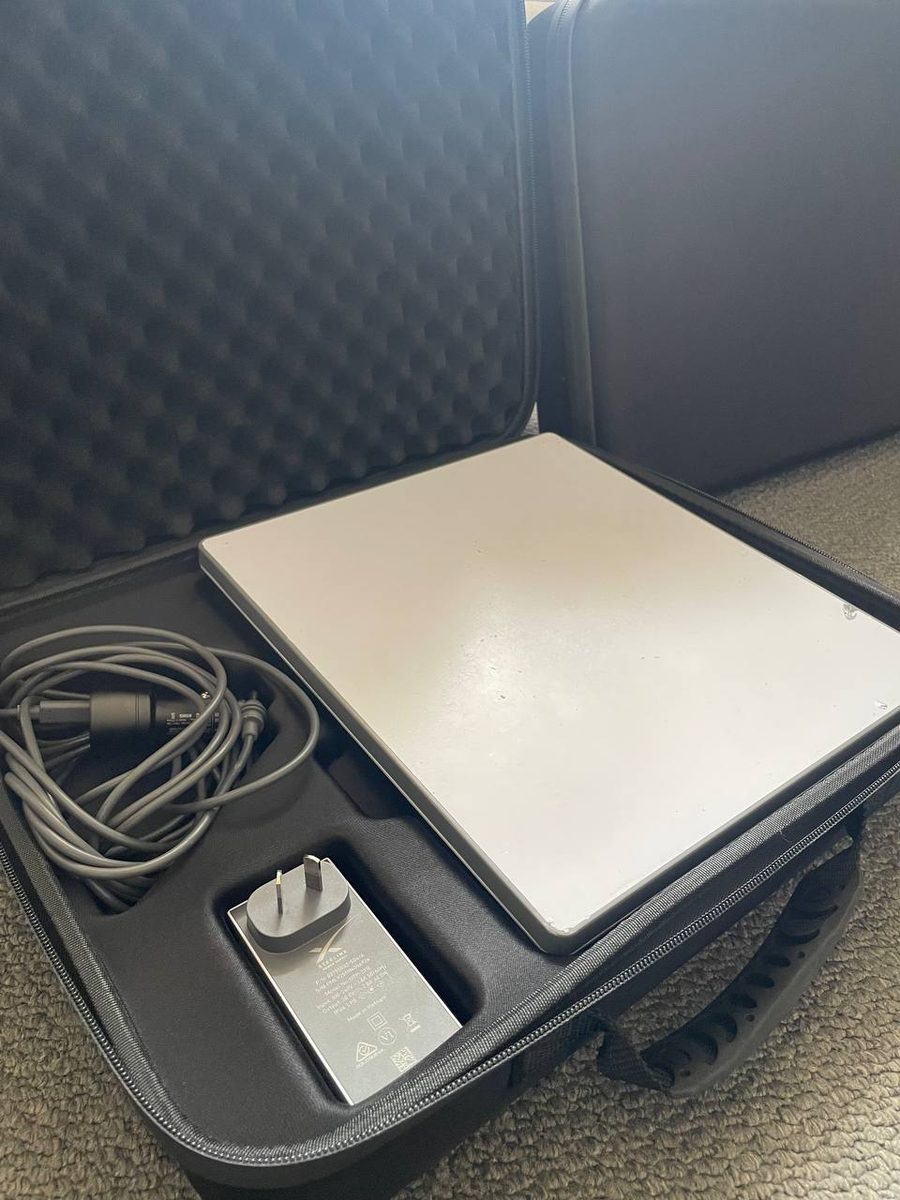
Everything has a cutout. The reason that matters is not tidiness, it is that a dish rattling loose against a cable end on a corrugated road is how connectors get damaged. Pack it the way it came and the kit survives the trip.
What is not included
Being straight about this saves a phone call from a rest stop:
- No mount. No pole, roof rack bracket, magnetic mount or tripod. The kickstand is what you get. If you want the dish up high or on a vehicle, bring your own mount, and the standard Starlink mount slot on the underside will take it.
- No solar or battery in the standard kit. The 12V lead is included, the power source is not. A 500 Wh power station plus 100 to 200 W of folding solar covers a working day comfortably. We do hire solar blankets and battery chargers as an add-on, so ask when you enquire rather than buying something for one trip.
- No mesh nodes or range extenders. The Mini’s own Wi-Fi covers a camp, not a homestead.
- No shipping. Pickup from Cloverdale only, five minutes from Perth airport, and hire is within WA.
What we check before it goes out
Every kit gets powered up and speed tested before it leaves, and checked again on return. That is also where our own numbers come from: the same kits came back reading 180 Mbps at Esperance across summer and 175 Mbps at Exmouth in July, both streaming 4K and running voice calls. The detail on that is in our notes on Starlink speeds in Perth and WA.
Worth doing at pickup, takes two minutes:
- Open the case and check every cutout is filled.
- Check both cable ends for bent pins or grit.
- Ask us anything about your route while you are standing here rather than from a camp site.
What it costs
Our Starlink Mini hire in Perth runs on one plan:
| Hire length | Rate | Data |
|---|---|---|
| 1 week (7 to 13 days) | $179/week | Unlimited |
| 2+ weeks (14 to 24 days) | $22/day | Unlimited |
| Long stay (25+ days) | $19/day | Unlimited |
A $300 refundable bond and a 10% deposit lock in the dates. Seven day minimum. No setup fee, no delivery charge, no hidden costs, and no caps or overage bills to think about.
The bond comes back in full when the kit returns in working order, which for practical purposes means the case still has everything in it and nothing has been driven over.